


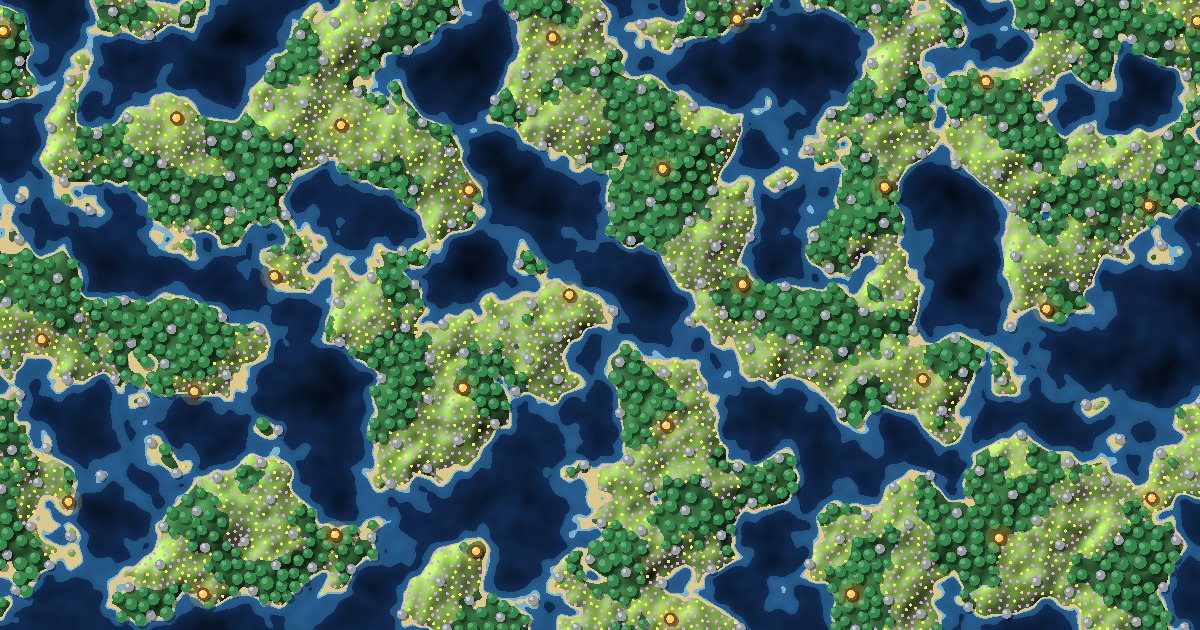
Poisson disk sampling is a way to scatter points at random while never letting two of them get closer than a minimum distance, r. In game development, that one rule is the difference between a forest that looks planted by nature and one that looks sprayed from a can: no trees growing through each other, no bald patches, no grid you can spot from across the map. The forest above is growing with it right now.
In this tutorial, you’ll build Poisson disk sampling from scratch, starting from the simplest method (dart throwing) and ending with Bridson’s fast algorithm. Then you’ll use it the way games do: dense and sparse patches driven by noise, and several layers of objects (loot chests, rocks, trees and flowers) that follow biome rules and never overlap. Eight live labs show every step, ending with a fully painted island world. The code comes in JavaScript, C#, C++ and pseudocode, all seeded, so the same seed places the same forest in every language, and the JavaScript is the exact code running in the labs.
What Is Poisson Disk Sampling?
Think about people stepping into an empty elevator, or birds landing on a wire. Nobody plans a pattern, and nobody stands in a neat row. But nobody stands right on top of someone else either: each new arrival picks a random spot that leaves some personal space. The result looks random, yet it’s evenly spread. That’s Poisson disk sampling.
Formally, a Poisson disk sample is a set of points in which:
- Every pair of points is at least r apart. Picture a disk of radius r / 2 around every point: no two disks overlap. That’s where the “disk” in the name comes from.
- The points are otherwise random. There’s no grid and no repeating pattern.
- (Ideally) there’s no room left. A maximal sample has no spot where one more point would fit, so the biggest empty holes stay small.
Points like these are also called blue noise, a name borrowed from image printing research: the pattern has very little “low-frequency” clumping, the same way blue light sits at the high-frequency end of the spectrum. You’ll find blue noise in some surprising places:
- Biology: in 1983, John Yellott found that the light-sensing cones in a monkey’s retina are spaced like a Poisson disk pattern. Random-but-spaced sampling helps the eye avoid aliasing.
- Computer graphics: in 1986, Robert Cook, one of the original developers of Pixar’s RenderMan, used Poisson disk patterns to pick sample positions inside each pixel, trading jagged aliasing for soft noise. He generated them by “dart throwing”, which you’ll build in Step 2.
- Nature: trees compete for light and water, so in an old forest the big trunks tend to be more evenly spaced than the saplings crowding the gaps between them.
Seeing beats reading. Here are three ways to scatter the same number of trees.
Lab: Random vs Jittered vs Poisson
| Method | Trees | Too close | Tightest | Clearing |
|---|
👉 Try this: start on Poisson disk, then click Random. Count the red outlines: random placement puts dozens of trees inside each other’s canopies and leaves a huge clearing. The Jittered grid is better, but some neighbors still touch, and if you squint you can see rows. Now drag Spacing and watch the Poisson row of the table: “Too close” stays at 0 every time.
Here’s how the common scattering methods compare:
| Method | Minimum spacing | Biggest gaps | Cost | What it looks like |
|---|---|---|---|---|
| Uniform random | None: points can overlap | Large | Trivial | Clumps and bald spots |
| Jittered grid | None between neighboring cells | Medium | Trivial | Even, with faint rows |
| Dart throwing | Guaranteed r | Small | Slows down sharply as the map fills | Natural |
| Bridson’s algorithm | Guaranteed r | Small (about 2r across) | Linear: twice the points, twice the time | Natural |
| Lloyd relaxation | Not guaranteed, but very even | Very small | Several Voronoi passes | Close to a honeycomb |
Why Use Poisson Disk Sampling in Games?
- Forests and foliage: trees, bushes, grass clumps and mushrooms that never intersect and never leave suspicious holes. Vary the radius and you get dense woods next to open meadows (Lab #3).
- Props and resources: rocks, crates, ore veins and herb nodes spread evenly enough that players find them at a steady pace, but randomly enough that no two maps match.
- Loot and encounters: treasure chests, enemy camps and spawn points with a guaranteed minimum distance, so a player never opens three chests in one room or meets two camps at once. That’s Lab #4.
- Map generation: the starting sites for a Voronoi map, dungeon room centers or town locations, evenly spread without Lloyd relaxation.
- Effects and rendering: particle emitters, decals, stippled art, and the sample patterns behind soft shadows and ambient occlusion.
Behind the Scenes: Why “Poisson”?
A Poisson process is the mathematician’s name for points dropped completely at random, like raindrops on a sidewalk. A Poisson disk process is the same thing with one extra rule: throw away any point that lands within r of an earlier one. So the name means “random points, with disks that can’t overlap.” If you want the math of why this looks so natural, the spectrum plot in Robert Bridson’s one-page paper is a good start (linked under Further Learning).
Step-by-Step Lab #1: From Random Points to Dart Throwing
We’ll build up to Bridson’s algorithm in four steps. The first two are the methods most games start with, and seeing where they fail makes the fast version easy to follow.
Step 1: Random Points and a Jittered Grid
Games need randomness you can repeat. If a player shares seed 123456, everyone should get the same forest. So instead of Math.random(), we use the same SeededRandom class as our Perlin noise, Voronoi and Biome tutorials: a tiny generator that gives identical numbers in JavaScript, C# and C++.
randomPoints() is plain uniform random. jitteredGrid() puts one point in each cell of a grid, at a random spot inside the cell. In C#, these methods live in a static class; ours is called PoissonGen. Every JavaScript, C# and C++ block is fully commented. Hover over a block and click Hide comments for the compact version (one click switches every block on the page).
/*
  Step 1: Two quick ways to scatter points
  -----------------------------------------
  Before Poisson-disk sampling, meet the two methods most games start with.
  Both are seeded, so the same seed always scatters the same forest.
*/
class SeededRandom {
  constructor(seed) {
    // Park-Miller "minimal standard" generator: the state must stay in 1..2^31 - 2.
    this.seed = seed % 2147483647;
    if (this.seed <= 0) this.seed += 2147483646;
  }

  next() {
    // Multiply by 16807 and wrap around the prime 2^31 - 1.
    return this.seed = this.seed * 16807 % 2147483647;
  }

  nextFloat() {
    // Map 1..2147483646 onto 0..1 (0 included, 1 excluded).
    return (this.next() - 1) / 2147483646;
  }
}

function randomPoints(count, width, height, seed) {
  // Uniform random: every point ignores every other point, so clumps and holes are normal.
  const random = new SeededRandom(seed);
  const points = [];
  for (let i = 0; i < count; i++) {
    const x = random.nextFloat() * width;
    const y = random.nextFloat() * height;
    points.push([x, y]);
  }
  return points;
}

function jitteredGrid(spacing, width, height, seed) {
  // One point per grid cell, nudged to a random spot inside its cell.
  const random = new SeededRandom(seed);
  const cols = Math.floor(width / spacing);
  const rows = Math.floor(height / spacing);
  const points = [];
  for (let row = 0; row < rows; row++) {
    for (let col = 0; col < cols; col++) {
      const x = (col + random.nextFloat()) * spacing;  // anywhere inside this cell...
      const y = (row + random.nextFloat()) * spacing;  // ...so two neighbors can still touch
      points.push([x, y]);
    }
  }
  return points;
}
/*
  Explanation:
  - randomPoints() has no memory: point 200 doesn't know where points 1 to 199 landed.
  - jitteredGrid() spreads the points evenly overall, but two points in neighboring cells
    can land right next to each other, and the rows and columns still show if you look.
  Next step: the simplest way to forbid points that are too close, dart throwing.
*/
// Step 1: Two quick ways to scatter points
// -----------------------------------------
// Before Poisson-disk sampling, meet the two methods most games start with.
// Both are seeded, so the same seed always scatters the same forest.
// The methods below go inside a static class (ours is PoissonGen).
using System;
using System.Collections.Generic;

public class SeededRandom
{
    private long seed;
    private const long a = 16807;        // Park-Miller "minimal standard" multiplier
    private const long m = 2147483647;   // the prime 2^31 - 1

    public SeededRandom(int seed)
    {
        // The state must stay in 1..m - 1, so fold 0 and negative seeds into range.
        this.seed = seed % m;
        if (this.seed <= 0) this.seed += m - 1;
    }

    public int Next()
    {
        seed = a * seed % m;   // long math: a * seed never overflows
        return (int)seed;
    }

    public double NextFloat()
    {
        // Map 1..m - 1 onto 0..1 (0 included, 1 excluded).
        return (Next() - 1) / (double)(m - 1);
    }
}

public static List<(double X, double Y)> RandomPoints(int count, double width, double height, int seed)
{
    // Uniform random: every point ignores every other point, so clumps and holes are normal.
    var random = new SeededRandom(seed);
    var points = new List<(double X, double Y)>();
    for (int i = 0; i < count; i++)
    {
        double x = random.NextFloat() * width;
        double y = random.NextFloat() * height;
        points.Add((x, y));
    }
    return points;
}

public static List<(double X, double Y)> JitteredGrid(double spacing, double width, double height, int seed)
{
    // One point per grid cell, nudged to a random spot inside its cell.
    var random = new SeededRandom(seed);
    int cols = (int)Math.Floor(width / spacing);
    int rows = (int)Math.Floor(height / spacing);
    var points = new List<(double X, double Y)>();
    for (int row = 0; row < rows; row++)
    {
        for (int col = 0; col < cols; col++)
        {
            double x = (col + random.NextFloat()) * spacing;   // anywhere inside this cell...
            double y = (row + random.NextFloat()) * spacing;   // ...so two neighbors can still touch
            points.Add((x, y));
        }
    }
    return points;
}
// Same seed, same points as the JavaScript and C++ versions.
// Next step: the simplest way to forbid points that are too close, dart throwing.
// Step 1: Two quick ways to scatter points
// -----------------------------------------
// Before Poisson-disk sampling, meet the two methods most games start with.
// Both are seeded, so the same seed always scatters the same forest.
#include <cmath>
#include <vector>

class SeededRandom {
private:
  long long seed;
  static const long long a = 16807;        // Park-Miller "minimal standard" multiplier
  static const long long m = 2147483647;   // the prime 2^31 - 1

public:
  SeededRandom(int seed) : seed(seed % m) {
    // The state must stay in 1..m - 1, so fold 0 and negative seeds into range.
    if (this->seed <= 0) this->seed += m - 1;
  }

  int Next() {
    seed = a * seed % m;   // 64-bit math: a * seed never overflows
    return static_cast<int>(seed);
  }

  // Map 1..m - 1 onto 0..1 (0 included, 1 excluded).
  double NextFloat() { return (Next() - 1) / static_cast<double>(m - 1); }
};

struct Point {
  double x;
  double y;
};

std::vector<Point> randomPoints(int count, double width, double height, int seed) {
  // Uniform random: every point ignores every other point, so clumps and holes are normal.
  SeededRandom random(seed);
  std::vector<Point> points;
  for (int i = 0; i < count; i++) {
    double x = random.NextFloat() * width;
    double y = random.NextFloat() * height;
    points.push_back({x, y});
  }
  return points;
}

std::vector<Point> jitteredGrid(double spacing, double width, double height, int seed) {
  // One point per grid cell, nudged to a random spot inside its cell.
  SeededRandom random(seed);
  int cols = static_cast<int>(std::floor(width / spacing));
  int rows = static_cast<int>(std::floor(height / spacing));
  std::vector<Point> points;
  for (int row = 0; row < rows; row++) {
    for (int col = 0; col < cols; col++) {
      double x = (col + random.NextFloat()) * spacing;   // anywhere inside this cell...
      double y = (row + random.NextFloat()) * spacing;   // ...so two neighbors can still touch
      points.push_back({x, y});
    }
  }
  return points;
}
// Same seed, same points as the JavaScript and C# versions.
// Next step: the simplest way to forbid points that are too close, dart throwing.
// Step 1: Two quick ways to scatter points
// -----------------------------------------
// Both are seeded, so the same seed always scatters the same forest.

CLASS SeededRandom
    METHOD constructor(seed)
        DECLARE this.seed = seed MOD 2147483647
        IF this.seed <= 0 THEN
            this.seed = this.seed + 2147483646
        END IF
    END METHOD

    METHOD next()
        this.seed = (this.seed * 16807) MOD 2147483647
        RETURN this.seed
    END METHOD

    METHOD nextFloat()
        RETURN (this.next() - 1) / 2147483646   // 0 up to (but not including) 1
    END METHOD
END CLASS

FUNCTION randomPoints(count, width, height, seed)
    // Every point ignores every other point: clumps and holes are normal.
    DECLARE random = NEW SeededRandom(seed)
    DECLARE points = EMPTY_ARRAY
    FOR i FROM 1 TO count DO
        DECLARE x = random.nextFloat() * width
        DECLARE y = random.nextFloat() * height
        APPEND [x, y] TO points
    END FOR
    RETURN points
END FUNCTION

FUNCTION jitteredGrid(spacing, width, height, seed)
    // One point per grid cell, nudged to a random spot inside its cell.
    DECLARE random = NEW SeededRandom(seed)
    DECLARE points = EMPTY_ARRAY
    FOR row FROM 0 TO FLOOR(height / spacing) - 1 DO
        FOR col FROM 0 TO FLOOR(width / spacing) - 1 DO
            DECLARE x = (col + random.nextFloat()) * spacing
            DECLARE y = (row + random.nextFloat()) * spacing
            APPEND [x, y] TO points       // neighbors in two cells can still touch
        END FOR
    END FOR
    RETURN points
END FUNCTION
Step 2: Dart Throwing
Now the rule: no two points closer than r. The most direct way to get it is to throw darts. Pick a random spot. If it’s at least r from every point you’ve kept, keep it. If not, throw it away. Stop when you’ve missed maxMisses times in a row, because by then the map is probably full.
isFarFromAll() does the check. It compares squared distances, so it never needs a square root.
/*
  Step 2: Dart throwing
  ---------------------
  The rule we want: no two points closer than radius. The most direct way to get it is to
  throw a random dart, keep it if it's far enough from every point so far, and throw it
  away if it isn't. Stop after maxMisses throws in a row fail.
*/
function isFarFromAll(points, x, y, radius) {
  for (const [px, py] of points) {
    const dx = px - x;
    const dy = py - y;
    // Compare squared distances: same answer as Math.hypot, without the square root.
    if (dx * dx + dy * dy < radius * radius) return false;
  }
  return true;
}

function dartThrowing(width, height, radius, maxMisses, seed) {
  const random = new SeededRandom(seed);
  const points = [];
  let misses = 0;
  while (misses < maxMisses) {
    const x = random.nextFloat() * width;
    const y = random.nextFloat() * height;
    if (isFarFromAll(points, x, y, radius)) {
      points.push([x, y]);
      misses = 0;   // a hit: start counting misses again
    } else {
      misses++;     // too close to something: throw this dart away
    }
  }
  return points;
}
/*
  Explanation:
  - The spacing rule is guaranteed, but the cost grows fast: every dart checks every point,
    and as the map fills up, almost every dart misses.
  - maxMisses is a guess at "full". Too low and gaps remain; too high and you wait.
  Next step: a background grid, so a dart only checks its neighbors.
*/
// Step 2: Dart throwing
// ---------------------
// Throw a random dart, keep it if it's at least radius from every point so far, and throw
// it away if it isn't. Stop after maxMisses throws in a row fail.

public static bool IsFarFromAll(List<(double X, double Y)> points, double x, double y, double radius)
{
    foreach (var p in points)
    {
        double dx = p.X - x;
        double dy = p.Y - y;
        // Compare squared distances: same answer, without the square root.
        if (dx * dx + dy * dy < radius * radius) return false;
    }
    return true;
}

public static List<(double X, double Y)> DartThrowing(double width, double height, double radius, int maxMisses, int seed)
{
    var random = new SeededRandom(seed);
    var points = new List<(double X, double Y)>();
    int misses = 0;
    while (misses < maxMisses)
    {
        double x = random.NextFloat() * width;
        double y = random.NextFloat() * height;
        if (IsFarFromAll(points, x, y, radius))
        {
            points.Add((x, y));
            misses = 0;   // a hit: start counting misses again
        }
        else
        {
            misses++;     // too close to something: throw this dart away
        }
    }
    return points;
}
// Every dart checks every point, and as the map fills up, almost every dart misses.
// Next step: a background grid, so a dart only checks its neighbors.
// Step 2: Dart throwing
// ---------------------
// Throw a random dart, keep it if it's at least radius from every point so far, and throw
// it away if it isn't. Stop after maxMisses throws in a row fail.

bool isFarFromAll(const std::vector<Point>& points, double x, double y, double radius) {
  for (const Point& p : points) {
    double dx = p.x - x;
    double dy = p.y - y;
    // Compare squared distances: same answer, without the square root.
    if (dx * dx + dy * dy < radius * radius) return false;
  }
  return true;
}

std::vector<Point> dartThrowing(double width, double height, double radius, int maxMisses, int seed) {
  SeededRandom random(seed);
  std::vector<Point> points;
  int misses = 0;
  while (misses < maxMisses) {
    double x = random.NextFloat() * width;
    double y = random.NextFloat() * height;
    if (isFarFromAll(points, x, y, radius)) {
      points.push_back({x, y});
      misses = 0;   // a hit: start counting misses again
    } else {
      misses++;     // too close to something: throw this dart away
    }
  }
  return points;
}
// Every dart checks every point, and as the map fills up, almost every dart misses.
// Next step: a background grid, so a dart only checks its neighbors.
// Step 2: Dart throwing
// ---------------------
// Keep a random dart if it's at least radius from every point so far.
// Stop after maxMisses throws in a row fail.

FUNCTION isFarFromAll(points, x, y, radius)
    FOR EACH [px, py] IN points DO
        DECLARE dx = px - x
        DECLARE dy = py - y
        IF dx * dx + dy * dy < radius * radius THEN   // squared distances: no square root
            RETURN false
        END IF
    END FOR
    RETURN true
END FUNCTION

FUNCTION dartThrowing(width, height, radius, maxMisses, seed)
    DECLARE random = NEW SeededRandom(seed)
    DECLARE points = EMPTY_ARRAY
    DECLARE misses = 0
    WHILE misses < maxMisses DO
        DECLARE x = random.nextFloat() * width
        DECLARE y = random.nextFloat() * height
        IF isFarFromAll(points, x, y, radius) THEN
            APPEND [x, y] TO points
            misses = 0                   // a hit: start counting again
        ELSE
            misses = misses + 1          // too close: throw this dart away
        END IF
    END WHILE
    RETURN points
END FUNCTION
Lab: Dart Throwing
👉 Try this: press Play and watch the chart. Early on, almost every dart sticks. By the time the map looks half full, most darts already miss, and the last few points take thousands of throws. Press Finish to compare the result with Bridson’s poissonDisk() from Step 4 on the same map.
Two problems show up here. First, each dart checks every point, so the work grows with the square of the point count: ten times the map, about a hundred times the checks. Second, maxMisses is a guess. Set it too low and you leave gaps; set it too high and you wait. Dart throwing to the very end does pack points slightly tighter than Bridson’s algorithm (the lab shows a few percent more), and for a small map built once at load time, it’s perfectly fine. For anything bigger, we need two tricks.
Step-by-Step Lab #2: Bridson’s Algorithm
In 2007, Robert Bridson of the University of British Columbia published a one-page sketch, “Fast Poisson Disk Sampling in Arbitrary Dimensions.” It fixes both of dart throwing’s problems with two simple ideas: a background grid, so each check looks only at nearby points, and an active list, so new points are only tried where there’s still room. It runs in linear time, works in 2D, 3D or more, and fits in well under 100 lines.
Step 3: The Background Grid
Cut the map into square cells of size r / √2. A cell’s diagonal is then exactly r, so two points in the same cell would always be too close. That means every cell holds at most one point, and the grid can be a simple array of point indexes, with -1 for “empty”.
To check a new spot, we only need the cells within r of it. With cells of r / √2, that’s at most two cells in each direction: a 5 × 5 block, so at most 25 points to check, however big the map is.
Our SampleGrid stores each point’s radius too. For now every radius is the same, so “too close” just means “closer than r“. In Lab #3 radii will differ, and the rule becomes “closer than the smaller of the two radii”.
/*
  Step 3: The background grid
  ---------------------------
  Bridson's trick #1: cut the map into square cells of size radius / sqrt(2). A cell's
  diagonal is then exactly radius, so two points in the same cell would be too close:
  every cell holds at most one point, and the grid is just an array of point indexes.
*/
class SampleGrid {
  constructor(width, height, cellSize) {
    this.width = width;
    this.height = height;
    this.cellSize = cellSize;
    this.cols = Math.ceil(width / cellSize);
    this.rows = Math.ceil(height / cellSize);
    this.cells = new Array(this.cols * this.rows).fill(-1); // -1 = empty, else an index into points
    this.points = [];      // every point in the grid, as [x, y, radius]
  }

  add(x, y, radius) {
    const col = Math.floor(x / this.cellSize);
    const row = Math.floor(y / this.cellSize);
    this.cells[row * this.cols + col] = this.points.length;
    this.points.push([x, y, radius]);
  }

  isFree(x, y, radius) {
    // Two points conflict when they're closer than the smaller of their two radii. With one
    // radius for everything, that's simply "closer than radius".
    const col = Math.floor(x / this.cellSize);
    const row = Math.floor(y / this.cellSize);
    // How many cells away a conflicting point could be: 2, when cellSize = radius / sqrt(2).
    const reach = Math.ceil(radius / this.cellSize);
    for (let r = Math.max(0, row - reach); r <= Math.min(this.rows - 1, row + reach); r++) {
      for (let c = Math.max(0, col - reach); c <= Math.min(this.cols - 1, col + reach); c++) {
        const index = this.cells[r * this.cols + c];
        if (index < 0) continue;  // empty cell
        const [px, py, pr] = this.points[index];
        const minDist = Math.min(radius, pr);
        const dx = px - x;
        const dy = py - y;
        if (dx * dx + dy * dy < minDist * minDist) return false;
      }
    }
    return true;
  }
}
/*
  Explanation:
  - With a single radius, isFree() looks at a 5 x 5 block of cells: at most 25 points,
    however big the map is. That's what turns "check everything" into "check the neighbors".
  - Points store their own radius so Lab #3 (variable density) and Lab #4 (layers of trees,
    rocks and loot) can reuse this class unchanged.
  Next step: Bridson's trick #2, growing new points around old ones.
*/
// Step 3: The background grid
// ---------------------------
// Cut the map into square cells of size radius / sqrt(2). A cell's diagonal is then exactly
// radius, so every cell holds at most one point, and the grid is just an array of indexes.

public class SampleGrid
{
    public readonly double Width, Height, CellSize;
    public readonly int Cols, Rows;
    private readonly int[] cells;   // -1 = empty, else an index into Points
    public readonly List<(double X, double Y, double Radius)> Points = new List<(double X, double Y, double Radius)>();

    public SampleGrid(double width, double height, double cellSize)
    {
        Width = width;
        Height = height;
        CellSize = cellSize;
        Cols = (int)Math.Ceiling(width / cellSize);
        Rows = (int)Math.Ceiling(height / cellSize);
        cells = new int[Cols * Rows];
        Array.Fill(cells, -1);
    }

    public void Add(double x, double y, double radius)
    {
        int col = (int)Math.Floor(x / CellSize);
        int row = (int)Math.Floor(y / CellSize);
        cells[row * Cols + col] = Points.Count;
        Points.Add((x, y, radius));
    }

    public bool IsFree(double x, double y, double radius)
    {
        // Two points conflict when they're closer than the smaller of their two radii.
        // With one radius for everything, that's simply "closer than radius".
        int col = (int)Math.Floor(x / CellSize);
        int row = (int)Math.Floor(y / CellSize);
        // How many cells away a conflicting point could be: 2, when CellSize = radius / sqrt(2).
        int reach = (int)Math.Ceiling(radius / CellSize);
        for (int r = Math.Max(0, row - reach); r <= Math.Min(Rows - 1, row + reach); r++)
        {
            for (int c = Math.Max(0, col - reach); c <= Math.Min(Cols - 1, col + reach); c++)
            {
                int index = cells[r * Cols + c];
                if (index < 0) continue;   // empty cell
                var p = Points[index];
                double minDist = Math.Min(radius, p.Radius);
                double dx = p.X - x;
                double dy = p.Y - y;
                if (dx * dx + dy * dy < minDist * minDist) return false;
            }
        }
        return true;
    }
}
// With a single radius, IsFree() looks at a 5 x 5 block of cells: at most 25 points.
// Next step: Bridson's trick #2, growing new points around old ones.
// Step 3: The background grid
// ---------------------------
// Cut the map into square cells of size radius / sqrt(2). A cell's diagonal is then exactly
// radius, so every cell holds at most one point, and the grid is just an array of indexes.
#include <algorithm>

struct Sample {
  double x;
  double y;
  double radius;
};

class SampleGrid {
public:
  double width, height, cellSize;
  int cols, rows;
  std::vector<int> cells;       // -1 = empty, else an index into points
  std::vector<Sample> points;   // every point in the grid

  SampleGrid(double width, double height, double cellSize)
      : width(width), height(height), cellSize(cellSize),
        cols(static_cast<int>(std::ceil(width / cellSize))),
        rows(static_cast<int>(std::ceil(height / cellSize))),
        cells(cols * rows, -1) {}

  void add(double x, double y, double radius) {
    int col = static_cast<int>(std::floor(x / cellSize));
    int row = static_cast<int>(std::floor(y / cellSize));
    cells[row * cols + col] = static_cast<int>(points.size());
    points.push_back({x, y, radius});
  }

  bool isFree(double x, double y, double radius) const {
    // Two points conflict when they're closer than the smaller of their two radii.
    // With one radius for everything, that's simply "closer than radius".
    int col = static_cast<int>(std::floor(x / cellSize));
    int row = static_cast<int>(std::floor(y / cellSize));
    // How many cells away a conflicting point could be: 2, when cellSize = radius / sqrt(2).
    int reach = static_cast<int>(std::ceil(radius / cellSize));
    for (int r = std::max(0, row - reach); r <= std::min(rows - 1, row + reach); r++) {
      for (int c = std::max(0, col - reach); c <= std::min(cols - 1, col + reach); c++) {
        int index = cells[r * cols + c];
        if (index < 0) continue;   // empty cell
        const Sample& p = points[index];
        double minDist = std::min(radius, p.radius);
        double dx = p.x - x;
        double dy = p.y - y;
        if (dx * dx + dy * dy < minDist * minDist) return false;
      }
    }
    return true;
  }
};
// With a single radius, isFree() looks at a 5 x 5 block of cells: at most 25 points.
// Next step: Bridson's trick #2, growing new points around old ones.
// Step 3: The background grid
// ---------------------------
// Cells of size radius / SQRT(2) have a diagonal of exactly radius,
// so every cell holds at most one point.

CLASS SampleGrid
    METHOD constructor(width, height, cellSize)
        DECLARE this.width = width
        DECLARE this.height = height
        DECLARE this.cellSize = cellSize
        DECLARE this.cols = CEIL(width / cellSize)
        DECLARE this.rows = CEIL(height / cellSize)
        DECLARE this.cells = ARRAY OF (this.cols * this.rows) VALUES -1   // -1 = empty
        DECLARE this.points = EMPTY_ARRAY                                // [x, y, radius]
    END METHOD

    METHOD add(x, y, radius)
        DECLARE col = FLOOR(x / this.cellSize)
        DECLARE row = FLOOR(y / this.cellSize)
        this.cells[row * this.cols + col] = LENGTH(this.points)
        APPEND [x, y, radius] TO this.points
    END METHOD

    METHOD isFree(x, y, radius)
        // Two points conflict when they're closer than the smaller of their two radii.
        DECLARE col = FLOOR(x / this.cellSize)
        DECLARE row = FLOOR(y / this.cellSize)
        DECLARE reach = CEIL(radius / this.cellSize)   // 2 when cellSize = radius / SQRT(2)
        FOR r FROM MAX(0, row - reach) TO MIN(this.rows - 1, row + reach) DO
            FOR c FROM MAX(0, col - reach) TO MIN(this.cols - 1, col + reach) DO
                DECLARE index = this.cells[r * this.cols + c]
                IF index >= 0 THEN
                    DECLARE [px, py, pr] = this.points[index]
                    DECLARE minDist = MIN(radius, pr)
                    IF (px - x)^2 + (py - y)^2 < minDist^2 THEN
                        RETURN false
                    END IF
                END IF
            END FOR
        END FOR
        RETURN true
    END METHOD
END CLASS
Lab: The Background Grid
👉 Try this: move over the map. Only the shaded 5 × 5 block gets checked, and the readout shows how few points that is. Green lines are neighbors at a safe distance; a red line is a conflict. Click where the circle turns green to add a point, then drag Radius and notice the cells resize with it.
Step 4: The Active List
The second trick: stop throwing darts at the whole map. New points can only fit near the edge of the area you’ve already filled, so look there.
- Start: put one point anywhere and add it to the active list.
- Pick: choose a random point from the active list.
- Try: generate up to k random candidates in the ring between r and 2r around it. Keep the first candidate that
isFree()accepts, and add it to the active list too. - Retire: if all k candidates fail, the point is surrounded. Remove it from the active list.
- Repeat until the active list is empty.
Why that ring? A candidate closer than r would always fail, so there’s no point trying it. A candidate farther than 2r could jump over a gap where a point would fit. Every step either adds a point or retires one, so N points take exactly 2N − 1 steps. That’s why it’s linear.
One detail: to pick a random spot in the ring, we pick random spots in the square around it until one lands inside the ring. That gives every part of the ring an equal chance, as Bridson describes, and it avoids sin() and cos(), which can differ in the last digit between JavaScript, C# and C++ and would make the same seed grow a different forest.
PoissonSampler keeps the active list and does one step per call, so the lab below can show each step. poissonDisk() is the one-call version.
/*
  Step 4: Bridson's algorithm
  ---------------------------
  Bridson's trick #2: don't throw darts at the whole map. Keep an "active list" of points
  that may still have room around them. Pick one at random, try up to k candidates in the
  ring between radius and 2 * radius around it, and keep the first one that fits. If all k
  fail, that point is surrounded: take it off the active list. Stop when the list is empty.
*/
class PoissonSampler {
  constructor(grid, radius, k, seed) {
    this.grid = grid;          // a SampleGrid; several samplers can share one (Lab #4)
    this.radius = radius;      // the minimum distance between points
    this.k = k;                // candidates per step before giving up on a point (Bridson uses 30)
    this.random = new SeededRandom(seed);
    this.points = [];          // the points this sampler placed, as [x, y, radius]
    this.active = [];          // indexes into points that may still have room around them
    this.tried = [];           // the latest step's candidates as [x, y, accepted], for drawing
    this.current = -1;         // the point the latest step worked around, for drawing
    this.radiusAt = null;      // optional (x, y) => radius, for variable density (Lab #3)
    this.allowed = null;       // optional (x, y) => true/false, for biome rules (Lab #4)
  }

  tryAdd(x, y) {
    const grid = this.grid;
    if (x < 0 || y < 0 || x >= grid.width || y >= grid.height) return false;  // off the map
    if (this.allowed && !this.allowed(x, y)) return false;                     // wrong ground
    const radius = this.radiusAt ? Math.max(this.radius, this.radiusAt(x, y)) : this.radius;
    if (!grid.isFree(x, y, radius)) return false;                              // too close
    grid.add(x, y, radius);
    this.active.push(this.points.length);
    this.points.push([x, y, radius]);
    return true;
  }

  step() {
    // One step either places a point or retires one, so N points take 2N - 1 steps.
    if (this.active.length === 0) return false;  // finished
    const a = Math.floor(this.random.nextFloat() * this.active.length);
    this.current = this.active[a];
    const [px, py, pr] = this.points[this.current];
    this.tried = [];
    for (let i = 0; i < this.k; i++) {
      // A random spot in the ring between pr and 2 * pr: pick spots in the square around
      // the point until one lands in the ring (no sin or cos, so every language agrees).
      let dx, dy, d2;
      do {
        dx = (this.random.nextFloat() * 4 - 2) * pr;
        dy = (this.random.nextFloat() * 4 - 2) * pr;
        d2 = dx * dx + dy * dy;
      } while (d2 < pr * pr || d2 > 4 * pr * pr);
      const accepted = this.tryAdd(px + dx, py + dy);
      this.tried.push([px + dx, py + dy, accepted]);
      if (accepted) return true;
    }
    // k misses in a row: no room left here. Swap it with the last entry and drop it.
    this.active[a] = this.active[this.active.length - 1];
    this.active.pop();
    return true;
  }
}

function poissonDisk(width, height, radius, k, seed) {
  const grid = new SampleGrid(width, height, radius / Math.sqrt(2));
  const sampler = new PoissonSampler(grid, radius, k, seed);
  const x = sampler.random.nextFloat() * width;   // the first point goes anywhere
  const y = sampler.random.nextFloat() * height;
  sampler.tryAdd(x, y);
  while (sampler.step()) {}
  return sampler.points;
}
/*
  Explanation:
  - Candidates only ever appear in the ring around existing points, so almost every
    candidate lands somewhere useful, and the map fills from the inside out.
  - The ring starts at radius (closer would always fail) and stops at 2 * radius (further
    out, we could skip over a gap where a point would fit).
  - poissonDisk(720, 400, 24, 30, 123456) always returns the same points.
  Next step: let the radius change across the map.
*/
// Step 4: Bridson's algorithm
// ---------------------------
// Keep an "active list" of points that may still have room around them. Pick one at random,
// try up to k candidates in the ring between radius and 2 * radius around it, and keep the
// first one that fits. If all k fail, take it off the list. Stop when the list is empty.

public class PoissonSampler
{
    public readonly SampleGrid Grid;   // several samplers can share one grid (Lab #4)
    public readonly double Radius;     // the minimum distance between points
    public readonly int K;             // candidates per step (Bridson uses 30)
    public readonly SeededRandom Random;
    public readonly List<(double X, double Y, double Radius)> Points = new List<(double X, double Y, double Radius)>();
    public readonly List<int> Active = new List<int>();   // indexes into Points that may still have room
    public readonly List<(double X, double Y, bool Accepted)> Tried = new List<(double X, double Y, bool Accepted)>();
    public int Current = -1;   // the point the latest step worked around, for drawing
    public Func<double, double, double> RadiusAt;   // optional, for variable density (Lab #3)
    public Func<double, double, bool> Allowed;      // optional, for biome rules (Lab #4)

    public PoissonSampler(SampleGrid grid, double radius, int k, int seed)
    {
        Grid = grid;
        Radius = radius;
        K = k;
        Random = new SeededRandom(seed);
    }

    public bool TryAdd(double x, double y)
    {
        if (x < 0 || y < 0 || x >= Grid.Width || y >= Grid.Height) return false;   // off the map
        if (Allowed != null && !Allowed(x, y)) return false;                       // wrong ground
        double radius = RadiusAt != null ? Math.Max(Radius, RadiusAt(x, y)) : Radius;
        if (!Grid.IsFree(x, y, radius)) return false;                              // too close
        Grid.Add(x, y, radius);
        Active.Add(Points.Count);
        Points.Add((x, y, radius));
        return true;
    }

    public bool Step()
    {
        // One step either places a point or retires one, so N points take 2N - 1 steps.
        if (Active.Count == 0) return false;   // finished
        int a = (int)Math.Floor(Random.NextFloat() * Active.Count);
        Current = Active[a];
        var p = Points[Current];
        Tried.Clear();
        for (int i = 0; i < K; i++)
        {
            // A random spot in the ring between p.Radius and 2 * p.Radius: pick spots in the
            // square around the point until one lands in the ring (no Sin or Cos needed).
            double dx, dy, d2;
            do
            {
                dx = (Random.NextFloat() * 4 - 2) * p.Radius;
                dy = (Random.NextFloat() * 4 - 2) * p.Radius;
                d2 = dx * dx + dy * dy;
            } while (d2 < p.Radius * p.Radius || d2 > 4 * p.Radius * p.Radius);
            bool accepted = TryAdd(p.X + dx, p.Y + dy);
            Tried.Add((p.X + dx, p.Y + dy, accepted));
            if (accepted) return true;
        }
        // K misses in a row: no room left here. Swap it with the last entry and drop it.
        Active[a] = Active[Active.Count - 1];
        Active.RemoveAt(Active.Count - 1);
        return true;
    }
}

public static List<(double X, double Y, double Radius)> PoissonDisk(double width, double height, double radius, int k, int seed)
{
    var grid = new SampleGrid(width, height, radius / Math.Sqrt(2));
    var sampler = new PoissonSampler(grid, radius, k, seed);
    double x = sampler.Random.NextFloat() * width;    // the first point goes anywhere
    double y = sampler.Random.NextFloat() * height;
    sampler.TryAdd(x, y);
    while (sampler.Step()) { }
    return sampler.Points;
}
// PoissonDisk(720, 400, 24, 30, 123456) returns the same points as the JavaScript and C++ versions.
// Next step: let the radius change across the map.
// Step 4: Bridson's algorithm
// ---------------------------
// Keep an "active list" of points that may still have room around them. Pick one at random,
// try up to k candidates in the ring between radius and 2 * radius around it, and keep the
// first one that fits. If all k fail, take it off the list. Stop when the list is empty.
#include <functional>

struct Candidate {
  double x;
  double y;
  bool accepted;
};

class PoissonSampler {
public:
  SampleGrid& grid;               // several samplers can share one grid (Lab #4)
  double radius;                  // the minimum distance between points
  int k;                          // candidates per step (Bridson uses 30)
  SeededRandom random;
  std::vector<Sample> points;     // the points this sampler placed
  std::vector<int> active;        // indexes into points that may still have room
  std::vector<Candidate> tried;   // the latest step's candidates, for drawing
  int current = -1;               // the point the latest step worked around, for drawing
  std::function<double(double, double)> radiusAt;   // optional, for variable density (Lab #3)
  std::function<bool(double, double)> allowed;      // optional, for biome rules (Lab #4)

  PoissonSampler(SampleGrid& grid, double radius, int k, int seed)
      : grid(grid), radius(radius), k(k), random(seed) {}

  bool tryAdd(double x, double y) {
    if (x < 0 || y < 0 || x >= grid.width || y >= grid.height) return false;   // off the map
    if (allowed && !allowed(x, y)) return false;                               // wrong ground
    double r = radiusAt ? std::max(radius, radiusAt(x, y)) : radius;
    if (!grid.isFree(x, y, r)) return false;                                   // too close
    grid.add(x, y, r);
    active.push_back(static_cast<int>(points.size()));
    points.push_back({x, y, r});
    return true;
  }

  bool step() {
    // One step either places a point or retires one, so N points take 2N - 1 steps.
    if (active.empty()) return false;   // finished
    int a = static_cast<int>(std::floor(random.NextFloat() * active.size()));
    current = active[a];
    Sample p = points[current];
    tried.clear();
    for (int i = 0; i < k; i++) {
      // A random spot in the ring between p.radius and 2 * p.radius: pick spots in the
      // square around the point until one lands in the ring (no sin or cos needed).
      double dx, dy, d2;
      do {
        dx = (random.NextFloat() * 4 - 2) * p.radius;
        dy = (random.NextFloat() * 4 - 2) * p.radius;
        d2 = dx * dx + dy * dy;
      } while (d2 < p.radius * p.radius || d2 > 4 * p.radius * p.radius);
      bool accepted = tryAdd(p.x + dx, p.y + dy);
      tried.push_back({p.x + dx, p.y + dy, accepted});
      if (accepted) return true;
    }
    // k misses in a row: no room left here. Swap it with the last entry and drop it.
    active[a] = active.back();
    active.pop_back();
    return true;
  }
};

std::vector<Sample> poissonDisk(double width, double height, double radius, int k, int seed) {
  SampleGrid grid(width, height, radius / std::sqrt(2.0));
  PoissonSampler sampler(grid, radius, k, seed);
  double x = sampler.random.NextFloat() * width;    // the first point goes anywhere
  double y = sampler.random.NextFloat() * height;
  sampler.tryAdd(x, y);
  while (sampler.step()) {
  }
  return sampler.points;
}
// poissonDisk(720, 400, 24, 30, 123456) returns the same points as the JavaScript and C# versions.
// Next step: let the radius change across the map.
// Step 4: Bridson's algorithm
// ---------------------------
// Grow new points in the ring between r and 2r around random "active" points.
// A point that fails k times in a row leaves the active list.

CLASS PoissonSampler
    METHOD constructor(grid, radius, k, seed)
        DECLARE this.grid = grid            // can be shared between samplers (Lab #4)
        DECLARE this.radius = radius
        DECLARE this.k = k                  // Bridson suggests 30
        DECLARE this.random = NEW SeededRandom(seed)
        DECLARE this.points = EMPTY_ARRAY   // [x, y, radius]
        DECLARE this.active = EMPTY_ARRAY   // indexes into points
        DECLARE this.tried = EMPTY_ARRAY    // latest candidates, for drawing
        DECLARE this.current = -1           // the point the latest step worked around
        DECLARE this.radiusAt = NONE        // optional FUNCTION(x, y) -> radius (Lab #3)
        DECLARE this.allowed = NONE         // optional FUNCTION(x, y) -> true/false (Lab #4)
    END METHOD

    METHOD tryAdd(x, y)
        IF x < 0 OR y < 0 OR x >= this.grid.width OR y >= this.grid.height THEN
            RETURN false                                     // off the map
        END IF
        IF this.allowed IS NOT NONE AND NOT this.allowed(x, y) THEN
            RETURN false                                     // wrong ground
        END IF
        DECLARE radius = this.radius
        IF this.radiusAt IS NOT NONE THEN
            radius = MAX(this.radius, this.radiusAt(x, y))
        END IF
        IF NOT this.grid.isFree(x, y, radius) THEN
            RETURN false                                     // too close
        END IF
        this.grid.add(x, y, radius)
        APPEND LENGTH(this.points) TO this.active
        APPEND [x, y, radius] TO this.points
        RETURN true
    END METHOD

    METHOD step()
        IF this.active IS EMPTY THEN
            RETURN false                                     // finished
        END IF
        DECLARE a = FLOOR(this.random.nextFloat() * LENGTH(this.active))
        this.current = this.active[a]
        DECLARE [px, py, pr] = this.points[this.current]
        this.tried = EMPTY_ARRAY
        FOR i FROM 1 TO this.k DO
            // Uniform spot in the ring pr..2pr: pick from the 4pr x 4pr square until one fits.
            REPEAT
                DECLARE dx = (this.random.nextFloat() * 4 - 2) * pr
                DECLARE dy = (this.random.nextFloat() * 4 - 2) * pr
                DECLARE d2 = dx * dx + dy * dy
            UNTIL d2 >= pr * pr AND d2 <= 4 * pr * pr
            DECLARE accepted = this.tryAdd(px + dx, py + dy)
            APPEND [px + dx, py + dy, accepted] TO this.tried
            IF accepted THEN
                RETURN true
            END IF
        END FOR
        // k misses: no room left here. Swap with the last entry and drop it.
        this.active[a] = LAST(this.active)
        REMOVE LAST FROM this.active
        RETURN true
    END METHOD
END CLASS

FUNCTION poissonDisk(width, height, radius, k, seed)
    DECLARE grid = NEW SampleGrid(width, height, radius / SQRT(2))
    DECLARE sampler = NEW PoissonSampler(grid, radius, k, seed)
    DECLARE x = sampler.random.nextFloat() * width
    DECLARE y = sampler.random.nextFloat() * height
    sampler.tryAdd(x, y)                     // the first point goes anywhere
    WHILE sampler.step() DO
    END WHILE
    RETURN sampler.points
END FUNCTION
Lab: Bridson's Algorithm, Step by Step
Click the map to start from a different spot. The ring between the two circles is where the current point looks for room.
👉 Try this: press Step a few times. The yellow point is the one being worked on, the shaded band is its ring, and you can see each candidate land: a green dot if it fits, a red cross if not. Then press Play. The coral active list forms a moving “front” that sweeps outward and leaves gray, finished points behind. Now drop Tries k to 1 and press Finish: points retire too early, and the result has visible holes.
Key Parameters
- Radius r: the minimum distance between objects, and the only knob that changes the look. In a game, set it from the object’s footprint: a tree’s canopy, a rock’s collision radius, or “how far apart should two chests be”.
- Tries k: how hard each point looks for room before it retires. Bridson suggests 30. Lower values are faster but leave gaps; going above 30 rarely helps.
- Cell size: always r / √2 (in 3D it’s r / √3). Smaller still works but checks more cells; bigger breaks the one-point-per-cell rule.
- Starting point: any spot works. Start in the middle of the camera’s view, or at the player’s spawn point, if you want the area the player sees first to fill first.
Step-by-Step Lab #3: Variable Density From Noise
Real forests aren’t equally dense everywhere. You want thick woods in valleys, scattered trees on dry hills, and smooth changes in between. The fix is small: give every spot its own radius.
Step 5: A Radius From Noise
PoissonSampler already has a hook for this: radiusAt(x, y). We fill it with fBm noise from our Biome tutorial (the Simplex class and fbm() function from its Lab #1, unchanged). Low noise means a small radius and dense trees; high noise means a large radius and open land.
Two rules keep this correct:
- The grid’s cell size comes from the smallest radius, so every cell still holds at most one point.
- Two points must be at least the smaller of their two radii apart. That’s why a dense patch can grow right up to a sparse one without a seam.
isFree()searches far enough for the radius it’s testing, so big radii never miss a neighbor.
/*
  Step 5: Variable density from noise
  -----------------------------------
  A forest isn't equally dense everywhere. Give every spot its own radius: small where
  trees crowd together, large in open savanna. Simplex and fbm() are the noise functions
  from our Biome tutorial (Lab #1 there), so the density follows the same kind of map.
*/
function densityRadius(seed, minRadius, maxRadius, scale) {
  const simplex = new Simplex(seed);
  return (x, y) => {
    const n = fbm(simplex, x * scale, y * scale);       // mostly -0.5..0.5
    const t = Math.min(1, Math.max(0, n * 1.5 + 0.5));  // 0 = dense, 1 = sparse
    return minRadius + t * (maxRadius - minRadius);
  };
}

function poissonVariable(width, height, minRadius, maxRadius, scale, k, seed) {
  // The grid's cells must fit the SMALLEST radius, so each cell still holds one point.
  const grid = new SampleGrid(width, height, minRadius / Math.sqrt(2));
  const sampler = new PoissonSampler(grid, minRadius, k, seed);
  sampler.radiusAt = densityRadius(seed, minRadius, maxRadius, scale);
  const x = sampler.random.nextFloat() * width;
  const y = sampler.random.nextFloat() * height;
  sampler.tryAdd(x, y);
  while (sampler.step()) {}
  return sampler.points;
}
/*
  Explanation:
  - Each point keeps the radius of the spot it landed on, and two points must be at least
    the smaller of their radii apart, so dense and sparse areas blend without a seam.
  - The radius only ever grows from minRadius, so the grid's one-point-per-cell rule holds.
  Next step: several kinds of objects that respect each other.
*/
// Step 5: Variable density from noise
// -----------------------------------
// Give every spot its own radius: small where trees crowd together, large in open savanna.
// Simplex and Fbm come from our Biome tutorial (Fbm lives in its BiomeGen class).

public static Func<double, double, double> DensityRadius(int seed, double minRadius, double maxRadius, double scale)
{
    var simplex = new Simplex(seed);
    return (x, y) =>
    {
        double n = BiomeGen.Fbm(simplex, x * scale, y * scale);   // mostly -0.5..0.5
        double t = Math.Min(1, Math.Max(0, n * 1.5 + 0.5));      // 0 = dense, 1 = sparse
        return minRadius + t * (maxRadius - minRadius);
    };
}

public static List<(double X, double Y, double Radius)> PoissonVariable(double width, double height, double minRadius, double maxRadius, double scale, int k, int seed)
{
    // The grid's cells must fit the SMALLEST radius, so each cell still holds one point.
    var grid = new SampleGrid(width, height, minRadius / Math.Sqrt(2));
    var sampler = new PoissonSampler(grid, minRadius, k, seed);
    sampler.RadiusAt = DensityRadius(seed, minRadius, maxRadius, scale);
    double x = sampler.Random.NextFloat() * width;
    double y = sampler.Random.NextFloat() * height;
    sampler.TryAdd(x, y);
    while (sampler.Step()) { }
    return sampler.Points;
}
// Each point keeps the radius of the spot it landed on; two points need the smaller radius between them.
// Next step: several kinds of objects that respect each other.
// Step 5: Variable density from noise
// -----------------------------------
// Give every spot its own radius: small where trees crowd together, large in open savanna.
// Simplex and fbm() come from our Biome tutorial.

std::function<double(double, double)> densityRadius(int seed, double minRadius, double maxRadius, double scale) {
  Simplex simplex(seed);
  return [=](double x, double y) {
    double n = fbm(simplex, x * scale, y * scale);              // mostly -0.5..0.5
    double t = std::min(1.0, std::max(0.0, n * 1.5 + 0.5));     // 0 = dense, 1 = sparse
    return minRadius + t * (maxRadius - minRadius);
  };
}

std::vector<Sample> poissonVariable(double width, double height, double minRadius, double maxRadius,
                                    double scale, int k, int seed) {
  // The grid's cells must fit the SMALLEST radius, so each cell still holds one point.
  SampleGrid grid(width, height, minRadius / std::sqrt(2.0));
  PoissonSampler sampler(grid, minRadius, k, seed);
  sampler.radiusAt = densityRadius(seed, minRadius, maxRadius, scale);
  double x = sampler.random.NextFloat() * width;
  double y = sampler.random.NextFloat() * height;
  sampler.tryAdd(x, y);
  while (sampler.step()) {
  }
  return sampler.points;
}
// Each point keeps the radius of the spot it landed on; two points need the smaller radius between them.
// Next step: several kinds of objects that respect each other.
// Step 5: Variable density from noise
// -----------------------------------
// Simplex and fbm() come from our Biome tutorial.

FUNCTION densityRadius(seed, minRadius, maxRadius, scale)
    DECLARE simplex = NEW Simplex(seed)
    RETURN FUNCTION(x, y)
        DECLARE n = fbm(simplex, x * scale, y * scale)    // mostly -0.5..0.5
        DECLARE t = CLAMP(n * 1.5 + 0.5, 0, 1)            // 0 = dense, 1 = sparse
        RETURN minRadius + t * (maxRadius - minRadius)
    END FUNCTION
END FUNCTION

FUNCTION poissonVariable(width, height, minRadius, maxRadius, scale, k, seed)
    // Cells must fit the SMALLEST radius, so each still holds one point.
    DECLARE grid = NEW SampleGrid(width, height, minRadius / SQRT(2))
    DECLARE sampler = NEW PoissonSampler(grid, minRadius, k, seed)
    sampler.radiusAt = densityRadius(seed, minRadius, maxRadius, scale)
    DECLARE x = sampler.random.nextFloat() * width
    DECLARE y = sampler.random.nextFloat() * height
    sampler.tryAdd(x, y)
    WHILE sampler.step() DO
    END WHILE
    RETURN sampler.points
END FUNCTION
Lab: Dense Forest, Open Savanna
👉 Try this: turn on Show density map to see the noise behind the forest, then turn it off again. Drag Max radius up for wide savanna gaps, and change Patch size to make the groves bigger or smaller. If you have a terrain from the Biome tutorial, feed its moisture layer into radiusAt() and the forest will follow the rivers.
Step-by-Step Lab #4: Layers, Loot and Biome Rules
A game map is more than one kind of object. Chests should be far apart, rocks can go anywhere on land, trees grow only in forests, and flowers only in meadows. And none of them should overlap each other.
Step 6: Place Layers on One Shared Grid
Two more ideas finish the job:
- One shared grid for every layer. Each layer gets its own
PoissonSamplerand its own radius, but they all write into the sameSampleGrid. Because two points only need to be the smaller of their radii apart, chests stay 160 apart from other chests, while a tree may grow as close as its own spacing allows. Place big things first and small things last, so the small ones fill the gaps. - A biome rule per layer.
allowed(x, y)returns true where the layer may go. A rule can read anything: noise, a biome map, a height map, or even another grid.
Forests and islands come in separate patches, and Bridson only grows outward from existing points. So placeLayer() first gives every 2r × 2r square of the map up to k tries to find a starting point. Every patch of allowed ground gets a chance to start, however small or far away it is.
/*
  Step 6: Layers of objects, with biome rules
  -------------------------------------------
  Real maps mix things: loot chests far apart, rocks anywhere on land, trees only in
  forests. Every layer shares ONE SampleGrid, so each new layer keeps clear of everything
  already placed, and allowed(x, y) is the layer's biome rule.
*/
function placeLayer(grid, radius, k, seed, allowed) {
  const sampler = new PoissonSampler(grid, radius, k, seed);
  sampler.allowed = allowed;
  // Allowed ground can come in separate patches (islands, forests), and Bridson only grows
  // outward from existing points. So first give every 2r x 2r square up to k tries to get a
  // starting point (squares on the right and bottom edges are cut short to stay on the map).
  const spacing = radius * 2;
  for (let y = 0; y < grid.height; y += spacing) {
    for (let x = 0; x < grid.width; x += spacing) {
      for (let i = 0; i < k; i++) {
        const sx = x + sampler.random.nextFloat() * Math.min(spacing, grid.width - x);
        const sy = y + sampler.random.nextFloat() * Math.min(spacing, grid.height - y);
        if (sampler.tryAdd(sx, sy)) break;
      }
    }
  }
  while (sampler.step()) {}
  return sampler.points;  // only this layer's points; the grid holds every layer
}
/*
  Explanation:
  - Because two points only need the SMALLER radius between them, each layer keeps its own
    spacing: chests stay 150 apart from chests, but a tree (radius 16) may grow 16 from one.
  - The shared grid's cell size must fit the smallest radius of any layer. Place big
    things first and small things last, so the small ones fill the gaps.
  Next step: put the whole thing together on a map.
*/
// Step 6: Layers of objects, with biome rules
// -------------------------------------------
// Every layer shares ONE SampleGrid, so each new layer keeps clear of everything already
// placed, and allowed(x, y) is the layer's biome rule. Place big things first.

public static List<(double X, double Y, double Radius)> PlaceLayer(SampleGrid grid, double radius, int k, int seed, Func<double, double, bool> allowed)
{
    var sampler = new PoissonSampler(grid, radius, k, seed);
    sampler.Allowed = allowed;
    // Allowed ground can come in separate patches, and Bridson only grows outward from
    // existing points. So first give every 2r x 2r square up to k tries to get a starting
    // point (squares on the right and bottom edges are cut short to stay on the map).
    double spacing = radius * 2;
    for (double y = 0; y < grid.Height; y += spacing)
    {
        for (double x = 0; x < grid.Width; x += spacing)
        {
            for (int i = 0; i < k; i++)
            {
                double sx = x + sampler.Random.NextFloat() * Math.Min(spacing, grid.Width - x);
                double sy = y + sampler.Random.NextFloat() * Math.Min(spacing, grid.Height - y);
                if (sampler.TryAdd(sx, sy)) break;
            }
        }
    }
    while (sampler.Step()) { }
    return sampler.Points;   // only this layer's points; the grid holds every layer
}
// Two points only need the SMALLER radius between them, so each layer keeps its own spacing.
// Next step: put the whole thing together on a map.
// Step 6: Layers of objects, with biome rules
// -------------------------------------------
// Every layer shares ONE SampleGrid, so each new layer keeps clear of everything already
// placed, and allowed(x, y) is the layer's biome rule. Place big things first.

std::vector<Sample> placeLayer(SampleGrid& grid, double radius, int k, int seed,
                               std::function<bool(double, double)> allowed) {
  PoissonSampler sampler(grid, radius, k, seed);
  sampler.allowed = allowed;
  // Allowed ground can come in separate patches, and Bridson only grows outward from
  // existing points. So first give every 2r x 2r square up to k tries to get a starting
  // point (squares on the right and bottom edges are cut short to stay on the map).
  double spacing = radius * 2;
  for (double y = 0; y < grid.height; y += spacing) {
    for (double x = 0; x < grid.width; x += spacing) {
      for (int i = 0; i < k; i++) {
        double sx = x + sampler.random.NextFloat() * std::min(spacing, grid.width - x);
        double sy = y + sampler.random.NextFloat() * std::min(spacing, grid.height - y);
        if (sampler.tryAdd(sx, sy)) break;
      }
    }
  }
  while (sampler.step()) {
  }
  return sampler.points;   // only this layer's points; the grid holds every layer
}
// Two points only need the SMALLER radius between them, so each layer keeps its own spacing.
// Next step: put the whole thing together on a map.
// Step 6: Layers of objects, with biome rules
// -------------------------------------------
// Every layer shares ONE grid; allowed(x, y) is the layer's biome rule.
// Place big things first.

FUNCTION placeLayer(grid, radius, k, seed, allowed)
    DECLARE sampler = NEW PoissonSampler(grid, radius, k, seed)
    sampler.allowed = allowed
    // Separate patches of allowed ground each need a start: give every
    // 2r x 2r square up to k tries (edge squares are cut short).
    DECLARE spacing = radius * 2
    DECLARE y = 0
    WHILE y < grid.height DO
        DECLARE x = 0
        WHILE x < grid.width DO
            FOR i FROM 1 TO k DO
                DECLARE sx = x + sampler.random.nextFloat() * MIN(spacing, grid.width - x)
                DECLARE sy = y + sampler.random.nextFloat() * MIN(spacing, grid.height - y)
                IF sampler.tryAdd(sx, sy) THEN
                    BREAK                    // this square has its starting point
                END IF
            END FOR
            x = x + spacing
        END WHILE
        y = y + spacing
    END WHILE
    WHILE sampler.step() DO
    END WHILE
    RETURN sampler.points      // this layer only; the grid holds every layer
END FUNCTION
Lab: Biome-Aware Placement
👉 Try this: untick Shared grid. Every layer still spaces itself perfectly, but now trees grow through chests and flowers sprout inside rocks: the red rings mark each overlap. Tick it again and the overlaps drop to 0. Then turn layers off one by one, or raise Chest spacing to make loot rarer and watch where it ends up.
This is the same problem that big engines solve with their own tools. In Unreal Engine 5’s PCG framework, for example, you might sample points on a jittered grid and then run a Self Pruning node, which removes overlapping points, largest first. Our version gets the spacing right as it places each point, so there’s nothing to prune afterward.
Putting It Together: Paint the World
Time for the payoff. Everything from this tutorial, plus the noise from the Biome tutorial, fits in one function that paints a whole island world. paintMap() works in three short passes:
- Terrain: two noise layers pick deep water, shallow water, a thin band of surf, sand, meadow or forest floor for every pixel. Comparing each spot with the land a few pixels up and to the left gives free hill shading.
- Objects: four calls to
placeLayer()on one shared grid: treasure chests 140 apart, rocks 34 apart, trees 11 apart in forests only, and flowers 6 apart in meadows only. - Sprites: every object is drawn as a few circles with
stampCircle(): a soft shadow, a body and a small highlight. That’s the whole art pipeline.
The result is a plain array of RGB bytes, so the same function can feed a browser canvas, a game engine texture or an image file.
Step 7: Paint the Map
/*
  Step 7: Paint the world
  -----------------------
  Everything together in one picture. Noise from the Biome tutorial decides water, beach,
  meadow and forest; placeLayer() scatters chests, rocks, trees and flowers on one shared
  grid; and every object is stamped as a tiny top-down sprite. The result is a plain array
  of RGB bytes, so it can feed a canvas, a game texture or an image file.
*/
const DEEP_WATER = [22, 54, 102];
const SHALLOW_WATER = [42, 102, 156];
const SURF = [120, 178, 206];
const SAND = [218, 200, 140];
const MEADOW = [118, 156, 72];
const FOREST_FLOOR = [46, 90, 52];
const ROCK = [150, 156, 164];
const CANOPY = [52, 136, 74];
const CHEST = [124, 76, 36];
const GOLD = [255, 204, 80];
const FLOWER = [226, 150, 255];
const BLOSSOM = [255, 226, 120];
const BLACK = [0, 0, 0];
const WHITE = [255, 255, 255];

function setPixel(pixels, width, x, y, color, light) {
  // Write one pixel, brightened or darkened by light (1 = unchanged), kept within 0..255.
  const i = (y * width + x) * 3;
  for (let c = 0; c < 3; c++) {
    pixels[i + c] = Math.min(255, Math.max(0, Math.floor(color[c] * light)));
  }
}

function stampCircle(pixels, width, height, cx, cy, radius, color, opacity) {
  // Blend a filled circle over what's already there: opacity 1 covers it, 0.3 tints it.
  // Black at 0.35 makes a shadow, white at 0.3 makes a highlight.
  for (let y = Math.max(0, Math.floor(cy - radius)); y <= Math.min(height - 1, Math.floor(cy + radius)); y++) {
    for (let x = Math.max(0, Math.floor(cx - radius)); x <= Math.min(width - 1, Math.floor(cx + radius)); x++) {
      const dx = x + 0.5 - cx;
      const dy = y + 0.5 - cy;
      if (dx * dx + dy * dy > radius * radius) continue;  // outside the circle
      const i = (y * width + x) * 3;
      for (let c = 0; c < 3; c++) {
        pixels[i + c] = Math.floor(pixels[i + c] + (color[c] - pixels[i + c]) * opacity);
      }
    }
  }
}

function paintMap(width, height, seed) {
  const pixels = new Uint8Array(width * height * 3);
  const ground = new Simplex(seed);
  const moisture = new Simplex(seed + 1);
  const heightAt = (x, y) => fbm(ground, x * 0.005, y * 0.005);
  const wetAt = (x, y) => fbm(moisture, x * 0.007, y * 0.007);

  // 1. Terrain: a color from height and moisture, lit from the top left so hills show.
  for (let y = 0; y < height; y++) {
    for (let x = 0; x < width; x++) {
      const h = heightAt(x, y);
      if (h < -0.07) {
        setPixel(pixels, width, x, y, h < -0.2 ? DEEP_WATER : SHALLOW_WATER, 1 + h);  // deeper = darker
      } else if (h < -0.05) {
        setPixel(pixels, width, x, y, SURF, 1);  // a thin band of surf along every coast
      } else if (h < 0) {
        setPixel(pixels, width, x, y, SAND, 1);
      } else {
        const slope = h - heightAt(x - 3, y - 3);  // higher than the land up-left = facing the light
        setPixel(pixels, width, x, y, wetAt(x, y) > 0.02 ? FOREST_FLOOR : MEADOW, 1 + slope * 5);
      }
    }
  }

  // 2. Objects, biggest spacing first, on one shared grid sized for the smallest (flowers, 6).
  const grid = new SampleGrid(width, height, 6 / Math.sqrt(2));
  const onLand = (x, y) => heightAt(x, y) >= 0;
  const chests = placeLayer(grid, 140, 30, seed, onLand);
  const rocks = placeLayer(grid, 34, 30, seed + 1, (x, y) => heightAt(x, y) >= -0.05);
  const trees = placeLayer(grid, 11, 30, seed + 2, (x, y) => onLand(x, y) && wetAt(x, y) > 0.02);
  const flowers = placeLayer(grid, 6, 30, seed + 3, (x, y) => onLand(x, y) && wetAt(x, y) <= 0.02);

  // 3. Sprites: shadow (offset down-right), body, highlight (offset up-left).
  for (let i = 0; i < flowers.length; i++) {
    const [x, y] = flowers[i];
    stampCircle(pixels, width, height, x, y, 1.6, i % 3 === 0 ? BLOSSOM : FLOWER, 1);  // every third one yellow
  }
  for (const [x, y] of rocks) {
    stampCircle(pixels, width, height, x + 2, y + 2, 5, BLACK, 0.35);
    stampCircle(pixels, width, height, x, y, 5, ROCK, 1);
    stampCircle(pixels, width, height, x - 1.5, y - 1.5, 2, WHITE, 0.5);
  }
  for (const [x, y] of trees) {
    const r = 4.5 + 4 * wetAt(x, y);  // wetter ground grows bigger trees
    stampCircle(pixels, width, height, x + 2.5, y + 3, r, BLACK, 0.35);
    stampCircle(pixels, width, height, x, y, r, CANOPY, 1);
    stampCircle(pixels, width, height, x - r * 0.35, y - r * 0.35, r * 0.45, WHITE, 0.25);
  }
  for (const [x, y] of chests) {
    stampCircle(pixels, width, height, x, y, 14, GOLD, 0.2);  // a soft glow, so loot catches the eye
    stampCircle(pixels, width, height, x + 2, y + 2, 6.5, BLACK, 0.4);
    stampCircle(pixels, width, height, x, y, 6.5, CHEST, 1);
    stampCircle(pixels, width, height, x, y, 4, GOLD, 1);
    stampCircle(pixels, width, height, x - 1.5, y - 1.5, 1.5, WHITE, 0.8);
  }
  return pixels;
}
/*
  Explanation:
  - The terrain loop is the Biome tutorial in miniature: two noise layers and a few thresholds.
  - The light value compares each spot with the land 3 pixels up and to the left, so slopes
    that face the top left get brighter and the far sides get darker (simple hill shading).
  - Every sprite is just circles: a soft black one for the shadow, a solid one for the body
    and a faint white one for the shine (chests also get a faint gold glow).
  - stampCircle() blends, so shadows fall naturally on sand, grass or water.
  Next: show the pixels on screen (or save them to a file).
*/
// Step 7: Paint the world
// -----------------------
// Noise from the Biome tutorial decides water, beach, meadow and forest; PlaceLayer() scatters
// chests, rocks, trees and flowers on one shared grid; every object becomes a tiny top-down
// sprite. The result is plain RGB bytes for a texture, an image file or a UI.

static readonly int[] DEEP_WATER = { 22, 54, 102 };
static readonly int[] SHALLOW_WATER = { 42, 102, 156 };
static readonly int[] SURF = { 120, 178, 206 };
static readonly int[] SAND = { 218, 200, 140 };
static readonly int[] MEADOW = { 118, 156, 72 };
static readonly int[] FOREST_FLOOR = { 46, 90, 52 };
static readonly int[] ROCK = { 150, 156, 164 };
static readonly int[] CANOPY = { 52, 136, 74 };
static readonly int[] CHEST = { 124, 76, 36 };
static readonly int[] GOLD = { 255, 204, 80 };
static readonly int[] FLOWER = { 226, 150, 255 };
static readonly int[] BLOSSOM = { 255, 226, 120 };
static readonly int[] BLACK = { 0, 0, 0 };
static readonly int[] WHITE = { 255, 255, 255 };

public static void SetPixel(byte[] pixels, int width, int x, int y, int[] color, double light)
{
    // Write one pixel, brightened or darkened by light (1 = unchanged), kept within 0..255.
    int i = (y * width + x) * 3;
    for (int c = 0; c < 3; c++)
        pixels[i + c] = (byte)Math.Min(255, Math.Max(0, Math.Floor(color[c] * light)));
}

public static void StampCircle(byte[] pixels, int width, int height, double cx, double cy, double radius, int[] color, double opacity)
{
    // Blend a filled circle over what's already there: opacity 1 covers it, 0.3 tints it.
    for (int y = Math.Max(0, (int)Math.Floor(cy - radius)); y <= Math.Min(height - 1, (int)Math.Floor(cy + radius)); y++)
    {
        for (int x = Math.Max(0, (int)Math.Floor(cx - radius)); x <= Math.Min(width - 1, (int)Math.Floor(cx + radius)); x++)
        {
            double dx = x + 0.5 - cx;
            double dy = y + 0.5 - cy;
            if (dx * dx + dy * dy > radius * radius) continue;   // outside the circle
            int i = (y * width + x) * 3;
            for (int c = 0; c < 3; c++)
                pixels[i + c] = (byte)Math.Floor(pixels[i + c] + (color[c] - pixels[i + c]) * opacity);
        }
    }
}

public static byte[] PaintMap(int width, int height, int seed)
{
    var pixels = new byte[width * height * 3];
    var ground = new Simplex(seed);
    var moisture = new Simplex(seed + 1);
    Func<double, double, double> heightAt = (x, y) => BiomeGen.Fbm(ground, x * 0.005, y * 0.005);
    Func<double, double, double> wetAt = (x, y) => BiomeGen.Fbm(moisture, x * 0.007, y * 0.007);

    // 1. Terrain: a color from height and moisture, lit from the top left so hills show.
    for (int y = 0; y < height; y++)
    {
        for (int x = 0; x < width; x++)
        {
            double h = heightAt(x, y);
            if (h < -0.07)
                SetPixel(pixels, width, x, y, h < -0.2 ? DEEP_WATER : SHALLOW_WATER, 1 + h);   // deeper = darker
            else if (h < -0.05)
                SetPixel(pixels, width, x, y, SURF, 1);   // a thin band of surf along every coast
            else if (h < 0)
                SetPixel(pixels, width, x, y, SAND, 1);
            else
            {
                double slope = h - heightAt(x - 3, y - 3);   // higher than the land up-left = facing the light
                SetPixel(pixels, width, x, y, wetAt(x, y) > 0.02 ? FOREST_FLOOR : MEADOW, 1 + slope * 5);
            }
        }
    }

    // 2. Objects, biggest spacing first, on one shared grid sized for the smallest (flowers, 6).
    var grid = new SampleGrid(width, height, 6 / Math.Sqrt(2));
    Func<double, double, bool> onLand = (x, y) => heightAt(x, y) >= 0;
    var chests = PlaceLayer(grid, 140, 30, seed, onLand);
    var rocks = PlaceLayer(grid, 34, 30, seed + 1, (x, y) => heightAt(x, y) >= -0.05);
    var trees = PlaceLayer(grid, 11, 30, seed + 2, (x, y) => onLand(x, y) && wetAt(x, y) > 0.02);
    var flowers = PlaceLayer(grid, 6, 30, seed + 3, (x, y) => onLand(x, y) && wetAt(x, y) <= 0.02);

    // 3. Sprites: shadow (offset down-right), body, highlight (offset up-left).
    for (int i = 0; i < flowers.Count; i++)
        StampCircle(pixels, width, height, flowers[i].X, flowers[i].Y, 1.6, i % 3 == 0 ? BLOSSOM : FLOWER, 1);   // every third one yellow
    foreach (var p in rocks)
    {
        StampCircle(pixels, width, height, p.X + 2, p.Y + 2, 5, BLACK, 0.35);
        StampCircle(pixels, width, height, p.X, p.Y, 5, ROCK, 1);
        StampCircle(pixels, width, height, p.X - 1.5, p.Y - 1.5, 2, WHITE, 0.5);
    }
    foreach (var p in trees)
    {
        double r = 4.5 + 4 * wetAt(p.X, p.Y);   // wetter ground grows bigger trees
        StampCircle(pixels, width, height, p.X + 2.5, p.Y + 3, r, BLACK, 0.35);
        StampCircle(pixels, width, height, p.X, p.Y, r, CANOPY, 1);
        StampCircle(pixels, width, height, p.X - r * 0.35, p.Y - r * 0.35, r * 0.45, WHITE, 0.25);
    }
    foreach (var p in chests)
    {
        StampCircle(pixels, width, height, p.X, p.Y, 14, GOLD, 0.2);   // a soft glow, so loot catches the eye
        StampCircle(pixels, width, height, p.X + 2, p.Y + 2, 6.5, BLACK, 0.4);
        StampCircle(pixels, width, height, p.X, p.Y, 6.5, CHEST, 1);
        StampCircle(pixels, width, height, p.X, p.Y, 4, GOLD, 1);
        StampCircle(pixels, width, height, p.X - 1.5, p.Y - 1.5, 1.5, WHITE, 0.8);
    }
    return pixels;
}
// Same seed, same bytes as the JavaScript and C++ versions.
// Next: save the pixels to a file (or copy them into a texture).
// Step 7: Paint the world
// -----------------------
// Noise from the Biome tutorial decides water, beach, meadow and forest; placeLayer() scatters
// chests, rocks, trees and flowers on one shared grid; every object becomes a tiny top-down
// sprite. The result is plain RGB bytes for a texture, an image file or a UI.
#include <array>

using Color = std::array<int, 3>;
const Color DEEP_WATER = {22, 54, 102};
const Color SHALLOW_WATER = {42, 102, 156};
const Color SURF = {120, 178, 206};
const Color SAND = {218, 200, 140};
const Color MEADOW = {118, 156, 72};
const Color FOREST_FLOOR = {46, 90, 52};
const Color ROCK = {150, 156, 164};
const Color CANOPY = {52, 136, 74};
const Color CHEST = {124, 76, 36};
const Color GOLD = {255, 204, 80};
const Color FLOWER = {226, 150, 255};
const Color BLOSSOM = {255, 226, 120};
const Color BLACK = {0, 0, 0};
const Color WHITE = {255, 255, 255};

void setPixel(std::vector<unsigned char>& pixels, int width, int x, int y, const Color& color, double light) {
  // Write one pixel, brightened or darkened by light (1 = unchanged), kept within 0..255.
  int i = (y * width + x) * 3;
  for (int c = 0; c < 3; c++)
    pixels[i + c] = static_cast<unsigned char>(std::min(255.0, std::max(0.0, std::floor(color[c] * light))));
}

void stampCircle(std::vector<unsigned char>& pixels, int width, int height, double cx, double cy, double radius,
                 const Color& color, double opacity) {
  // Blend a filled circle over what's already there: opacity 1 covers it, 0.3 tints it.
  for (int y = std::max(0, static_cast<int>(std::floor(cy - radius))); y <= std::min(height - 1, static_cast<int>(std::floor(cy + radius))); y++) {
    for (int x = std::max(0, static_cast<int>(std::floor(cx - radius))); x <= std::min(width - 1, static_cast<int>(std::floor(cx + radius))); x++) {
      double dx = x + 0.5 - cx;
      double dy = y + 0.5 - cy;
      if (dx * dx + dy * dy > radius * radius) continue;   // outside the circle
      int i = (y * width + x) * 3;
      for (int c = 0; c < 3; c++)
        pixels[i + c] = static_cast<unsigned char>(std::floor(pixels[i + c] + (color[c] - pixels[i + c]) * opacity));
    }
  }
}

std::vector<unsigned char> paintMap(int width, int height, int seed) {
  std::vector<unsigned char> pixels(width * height * 3, 0);
  Simplex ground(seed);
  Simplex moisture(seed + 1);
  auto heightAt = [&](double x, double y) { return fbm(ground, x * 0.005, y * 0.005); };
  auto wetAt = [&](double x, double y) { return fbm(moisture, x * 0.007, y * 0.007); };

  // 1. Terrain: a color from height and moisture, lit from the top left so hills show.
  for (int y = 0; y < height; y++) {
    for (int x = 0; x < width; x++) {
      double h = heightAt(x, y);
      if (h < -0.07) {
        setPixel(pixels, width, x, y, h < -0.2 ? DEEP_WATER : SHALLOW_WATER, 1 + h);   // deeper = darker
      } else if (h < -0.05) {
        setPixel(pixels, width, x, y, SURF, 1);   // a thin band of surf along every coast
      } else if (h < 0) {
        setPixel(pixels, width, x, y, SAND, 1);
      } else {
        double slope = h - heightAt(x - 3, y - 3);   // higher than the land up-left = facing the light
        setPixel(pixels, width, x, y, wetAt(x, y) > 0.02 ? FOREST_FLOOR : MEADOW, 1 + slope * 5);
      }
    }
  }

  // 2. Objects, biggest spacing first, on one shared grid sized for the smallest (flowers, 6).
  SampleGrid grid(width, height, 6 / std::sqrt(2.0));
  auto onLand = [&](double x, double y) { return heightAt(x, y) >= 0; };
  std::vector<Sample> chests = placeLayer(grid, 140, 30, seed, onLand);
  std::vector<Sample> rocks = placeLayer(grid, 34, 30, seed + 1, [&](double x, double y) { return heightAt(x, y) >= -0.05; });
  std::vector<Sample> trees = placeLayer(grid, 11, 30, seed + 2, [&](double x, double y) { return onLand(x, y) && wetAt(x, y) > 0.02; });
  std::vector<Sample> flowers = placeLayer(grid, 6, 30, seed + 3, [&](double x, double y) { return onLand(x, y) && wetAt(x, y) <= 0.02; });

  // 3. Sprites: shadow (offset down-right), body, highlight (offset up-left).
  for (size_t i = 0; i < flowers.size(); i++)
    stampCircle(pixels, width, height, flowers[i].x, flowers[i].y, 1.6, i % 3 == 0 ? BLOSSOM : FLOWER, 1);   // every third one yellow
  for (const Sample& p : rocks) {
    stampCircle(pixels, width, height, p.x + 2, p.y + 2, 5, BLACK, 0.35);
    stampCircle(pixels, width, height, p.x, p.y, 5, ROCK, 1);
    stampCircle(pixels, width, height, p.x - 1.5, p.y - 1.5, 2, WHITE, 0.5);
  }
  for (const Sample& p : trees) {
    double r = 4.5 + 4 * wetAt(p.x, p.y);   // wetter ground grows bigger trees
    stampCircle(pixels, width, height, p.x + 2.5, p.y + 3, r, BLACK, 0.35);
    stampCircle(pixels, width, height, p.x, p.y, r, CANOPY, 1);
    stampCircle(pixels, width, height, p.x - r * 0.35, p.y - r * 0.35, r * 0.45, WHITE, 0.25);
  }
  for (const Sample& p : chests) {
    stampCircle(pixels, width, height, p.x, p.y, 14, GOLD, 0.2);   // a soft glow, so loot catches the eye
    stampCircle(pixels, width, height, p.x + 2, p.y + 2, 6.5, BLACK, 0.4);
    stampCircle(pixels, width, height, p.x, p.y, 6.5, CHEST, 1);
    stampCircle(pixels, width, height, p.x, p.y, 4, GOLD, 1);
    stampCircle(pixels, width, height, p.x - 1.5, p.y - 1.5, 1.5, WHITE, 0.8);
  }
  return pixels;
}
// Same seed, same bytes as the JavaScript and C# versions.
// Next: save the pixels to a file (or copy them into a texture).
// Step 7: Paint the world
// -----------------------
// Terrain from noise, objects from placeLayer(), every object a tiny sprite.
// Colors are [red, green, blue] from 0 to 255.

DECLARE DEEP_WATER = [22, 54, 102], SHALLOW_WATER = [42, 102, 156], SURF = [120, 178, 206]
DECLARE SAND = [218, 200, 140], MEADOW = [118, 156, 72], FOREST_FLOOR = [46, 90, 52]
DECLARE ROCK = [150, 156, 164], CANOPY = [52, 136, 74], CHEST = [124, 76, 36], GOLD = [255, 204, 80]
DECLARE FLOWER = [226, 150, 255], BLOSSOM = [255, 226, 120], BLACK = [0, 0, 0], WHITE = [255, 255, 255]

FUNCTION setPixel(pixels, width, x, y, color, light)
    FOR c FROM 0 TO 2 DO
        pixels[(y * width + x) * 3 + c] = CLAMP(FLOOR(color[c] * light), 0, 255)
    END FOR
END FUNCTION

FUNCTION stampCircle(pixels, width, height, cx, cy, radius, color, opacity)
    // Blend a filled circle over the existing pixels (opacity 1 = solid).
    FOR EACH pixel (x, y) inside the image whose center (x + 0.5, y + 0.5) is within radius of (cx, cy) DO
        FOR c FROM 0 TO 2 DO
            DECLARE old = pixels[(y * width + x) * 3 + c]
            pixels[(y * width + x) * 3 + c] = FLOOR(old + (color[c] - old) * opacity)
        END FOR
    END FOR
END FUNCTION

FUNCTION paintMap(width, height, seed)
    DECLARE pixels = ARRAY OF (width * height * 3) BYTES
    DECLARE ground = NEW Simplex(seed), moisture = NEW Simplex(seed + 1)
    FUNCTION heightAt(x, y): RETURN fbm(ground, x * 0.005, y * 0.005)
    FUNCTION wetAt(x, y): RETURN fbm(moisture, x * 0.007, y * 0.007)

    // 1. Terrain, lit from the top left
    FOR y FROM 0 TO height - 1 DO
        FOR x FROM 0 TO width - 1 DO
            DECLARE h = heightAt(x, y)
            IF h < -0.07 THEN setPixel(pixels, width, x, y, (h < -0.2 ? DEEP_WATER : SHALLOW_WATER), 1 + h)
            ELSE IF h < -0.05 THEN setPixel(pixels, width, x, y, SURF, 1)
            ELSE IF h < 0 THEN setPixel(pixels, width, x, y, SAND, 1)
            ELSE
                DECLARE slope = h - heightAt(x - 3, y - 3)
                setPixel(pixels, width, x, y, (wetAt(x, y) > 0.02 ? FOREST_FLOOR : MEADOW), 1 + slope * 5)
            END IF
        END FOR
    END FOR

    // 2. Objects on one shared grid, biggest spacing first
    DECLARE grid = NEW SampleGrid(width, height, 6 / SQRT(2))
    DECLARE chests = placeLayer(grid, 140, 30, seed, land (h >= 0))
    DECLARE rocks = placeLayer(grid, 34, 30, seed + 1, land or beach or surf (h >= -0.05))
    DECLARE trees = placeLayer(grid, 11, 30, seed + 2, land AND wetAt > 0.02)
    DECLARE flowers = placeLayer(grid, 6, 30, seed + 3, land AND wetAt <= 0.02)

    // 3. Sprites: shadow, body, highlight
    FOR EACH flower (i-th) DO stampCircle(..., 1.6, (i MOD 3 = 0 ? BLOSSOM : FLOWER), 1)
    FOR EACH rock DO
        stampCircle(x + 2, y + 2, 5, BLACK, 0.35); stampCircle(x, y, 5, ROCK, 1)
        stampCircle(x - 1.5, y - 1.5, 2, WHITE, 0.5)
    END FOR
    FOR EACH tree DO
        DECLARE r = 4.5 + 4 * wetAt(x, y)                 // wetter ground, bigger trees
        stampCircle(x + 2.5, y + 3, r, BLACK, 0.35); stampCircle(x, y, r, CANOPY, 1)
        stampCircle(x - r * 0.35, y - r * 0.35, r * 0.45, WHITE, 0.25)
    END FOR
    FOR EACH chest DO
        stampCircle(x, y, 14, GOLD, 0.2)                  // soft glow
        stampCircle(x + 2, y + 2, 6.5, BLACK, 0.4); stampCircle(x, y, 6.5, CHEST, 1)
        stampCircle(x, y, 4, GOLD, 1); stampCircle(x - 1.5, y - 1.5, 1.5, WHITE, 0.8)
    END FOR
    RETURN pixels
END FUNCTION
Step 8: Show It
In the browser, drawPixels() copies the bytes into a canvas. In C# and C++, the easiest way to see the result is to save a PPM file: a short text header followed by the raw bytes. GIMP, Krita and Photoshop open it, and in a game engine you would copy the same bytes into a texture instead. All three languages produce the same image, byte for byte.
// Show it: copy the RGB pixels into a canvas (a canvas wants RGBA, so add alpha = 255).
function drawPixels(canvas, pixels, width, height) {
  canvas.width = width;
  canvas.height = height;
  const ctx = canvas.getContext("2d");
  const image = ctx.createImageData(width, height);
  for (let i = 0, j = 0; i < pixels.length; i += 3, j += 4) {
    image.data[j] = pixels[i];
    image.data[j + 1] = pixels[i + 1];
    image.data[j + 2] = pixels[i + 2];
    image.data[j + 3] = 255;
  }
  ctx.putImageData(image, 0, 0);
}

// Same seed, same world: try 123456, then any number you like.
drawPixels(document.querySelector("canvas"), paintMap(880, 480, 123456), 880, 480);
// Show it: save the pixels as a PPM image, the simplest image format there is (a short text
// header, then the raw RGB bytes). GIMP, Krita and Photoshop open it; in a game engine, copy
// the same bytes into a texture instead.
using System;
using System.IO;
using System.Text;

public static class Program
{
    public static void Main()
    {
        int width = 880, height = 480;
        byte[] pixels = PoissonGen.PaintMap(width, height, 123456);   // same seed, same world
        using (var file = File.Create("map.ppm"))
        {
            file.Write(Encoding.ASCII.GetBytes("P6 " + width + " " + height + " 255 "));
            file.Write(pixels);
        }
        Console.WriteLine("Saved map.ppm");
    }
}
// Show it: save the pixels as a PPM image, the simplest image format there is (a short text
// header, then the raw RGB bytes). GIMP, Krita and Photoshop open it; in a game engine, copy
// the same bytes into a texture instead.
#include <cstdio>

int main() {
  const int width = 880, height = 480;
  std::vector<unsigned char> pixels = paintMap(width, height, 123456);   // same seed, same world
  FILE* file = std::fopen("map.ppm", "wb");
  std::fprintf(file, "P6 %d %d 255 ", width, height);
  std::fwrite(pixels.data(), 1, pixels.size(), file);
  std::fclose(file);
  std::puts("Saved map.ppm");
  return 0;
}
// Show it: on the web, copy the RGB bytes into a canvas (adding alpha = 255);
// in C# or C++, write a PPM file: the text "P6 880 480 255 " followed by the bytes.

DECLARE pixels = paintMap(880, 480, 123456)      // same seed, same world
IF on the web THEN
    drawPixels(canvas, pixels, 880, 480)
ELSE
    WRITE "P6 880 480 255 " THEN pixels TO FILE "map.ppm"
END IF
Lab: Your World, Fully Painted
paintMap() above, and the same seed paints the same picture in C# and C++. Hover (or tap) the map for a closer look, and press New World until you find an island you want to live on.👉 Try this: hover over the map (or tap it on a phone) to look through the loupe. Every tree keeps its distance, flowers never grow in the forest, and no two chests are closer than 140 pixels. Then press New World a few times. Every seed is a new archipelago, and the rules hold every time. Found one you love? Download PNG saves it.
Common Pitfalls
- The wrong cell size: with cells bigger than r / √2, two points can share a cell, one overwrites the other, and
isFree()misses conflicts. With variable radii, size the cells for the smallest radius. - Searching too few cells: if your radius changes, the search reach must change with it. Our
isFree()computes it from the radius being tested; a hard-coded 5 × 5 block would miss neighbors for big objects. - Empty islands: Bridson only grows outward from the points it has. If allowed ground comes in separate patches, give each patch a starting point, as
placeLayer()does, or some islands stay bare. - Seams between chunks: points near a chunk’s edge can’t see the next chunk’s points, so two trees can end up too close across the border. Either place the whole map at once, or feed each chunk its neighbors’ border points before sampling. For a texture that must tile, wrap distances around the edges (toroidal distance).
- Uneven ring sampling: many tutorials pick a random angle and a distance of
r * (1 + random). It works, but it crowds candidates near the inner edge, andsin()/cos()can make seeds diverge between languages. Rejection sampling in the square, as in Step 4, avoids both. - Doing it every frame: even at linear time, thousands of points take milliseconds. Generate once per map or per chunk, cache the result, and only re-run what changed.
Real Games and Engines That Use Poisson Disk Placement
- The Witness: programmer Casey Muratori wrote about cleaning up its grass-planting tool, which also placed rocks. The original code started from plain random points and threw away any that landed too close, which is dart throwing. He replaced it with the ring method from Step 4 (a random angle and a distance between r and 2r from an existing point) and pointed readers to Bridson’s sketch. Read it in “The Color of Noise” (2014).
- Horizon Zero Dawn: Guerrilla’s GDC 2017 talk on GPU procedural placement describes density maps per asset type, and a precomputed dither pattern built to “maximize 2D distance” and scaled to each object’s footprint. Layers handle collisions between object types. It isn’t Bridson’s algorithm, but it solves the same problem as Labs #3 and #4 at run time on the GPU (slides, PDF).
- Unreal Engine 5: the PCG framework’s Surface Sampler places points on a grid with adjustable “looseness” (a jittered grid), and its Self Pruning node removes intersecting points, largest first (node reference). Together they approximate the layered placement from Lab #4.
- Red Blob Games’ mapgen4: Amit Patel’s 2018 map generator, by the author of the polygon map article behind Realm of the Mad God‘s maps, lists the poisson-disk-sampling library among its building blocks, alongside Delaunator for the Voronoi mesh (mapgen4).
Extensions and Variations
- Lloyd relaxation: for an even more regular spread, run a few rounds of Lloyd relaxation on your points, as in Lab #3 of our Voronoi tutorial. Poisson points make a great starting point for it, and great Voronoi sites in general.
- A faster, denser Bridson: Martin Roberts’ improved version tries candidates just outside r, stepping around the circle instead of picking random spots. He reports up to 20 times faster sampling and tighter packing.
- 3D and beyond: Bridson’s algorithm works in any dimension. In 3D, use cells of r / √3 and a spherical shell from r to 2r, for asteroid fields, cave crystals or particle starts.
- Species and variety: Poisson disk sampling decides where. Pick what per point afterward, from a weighted table per biome (oak or birch, small rock or boulder), and add random rotation and scale.
- Combine with other techniques: place sites with Poisson disk sampling and build Voronoi regions around them, use Perlin noise for height, or scatter crystals and mushrooms inside cellular automata caves using the cave floor as the
allowed()rule.
Poisson Disk Sampling FAQ
What’s the Difference Between Poisson Disk Sampling and Blue Noise?
Blue noise describes how a pattern looks: random, but with no clumps and no big holes. Poisson disk sampling is one way to make it, with a hard minimum distance between points. Other methods, like Mitchell’s best-candidate algorithm or precomputed dither patterns, also produce blue noise.
Why Is the Grid Cell Size r / √2?
A square with side r / √2 has a diagonal of exactly r. Any two points inside one cell are closer than r, so a valid sample never has two points in the same cell. That lets the grid store one index per cell instead of a list.
What Value of k Should I Use?
Start with 30, as Bridson suggests. Lower values (5 to 10) are faster but leave more gaps; try them for huge maps where speed matters more than perfect coverage.
Should I Use a Jittered Grid or Poisson Disk Sampling?
Use a jittered grid when speed matters most and an occasional pair of close neighbors is fine, like grass on a GPU. Use Poisson disk sampling when overlaps are bugs (trees through rocks, chests in the same room) or when the grid’s faint rows would show.
Is Poisson Disk Sampling Deterministic?
Only if your random numbers are. With a seeded generator like SeededRandom, the same seed, radius and k give the same points every time, in every language in this tutorial.
Final Thoughts
Poisson disk sampling turns “scatter some trees” from a source of overlaps and bald spots into one dependable rule: random, but never closer than r. Dart throwing shows the idea in a dozen lines. Bridson’s grid and active list make it fast enough for whole worlds, and a noise-driven radius plus shared-grid layers turn it into a real placement system.
Start with poissonDisk() for your next scatter, grow into placeLayer() when your map needs chests, rocks and trees that respect each other, and borrow paintMap() whenever you want to see the whole world at a glance.
Next steps: this is part four of our Procedural World series. If you’re just arriving, start with Perlin noise and Voronoi diagrams, then build the terrain these forests grow on in Procedural Biome Generation. For underground levels, see Cellular Automata Caves. Coming up next on the lab bench: a Slay the Spire–style map generator. What should we place with Poisson disk sampling next? Tell us in the comments.
Further Learning
- Robert Bridson: Fast Poisson Disk Sampling in Arbitrary Dimensions: the original one-page sketch from SIGGRAPH 2007. Short, clear, and the source of k = 30.
- Mike Bostock: Visualizing Algorithms: beautiful animations of random sampling, Mitchell’s best-candidate and Poisson disc sampling, side by side.
- Sebastian Lague: Procedural Object Placement (Poisson Disc Sampling): a clear video walkthrough of the same algorithm in Unity and C#.
This Post Has 0 Comments