


The October 2026 Steam Next Fest had more than 7,300 demos, the most ever, and most never had more than three players at once. We dug into the numbers: who won, which genres found players, how many demos disclosed AI, and what it all means for your next demo.
How to Make Retro Sound Effects for Your Game (Free, in Your Browser)
Retro SFX Lab
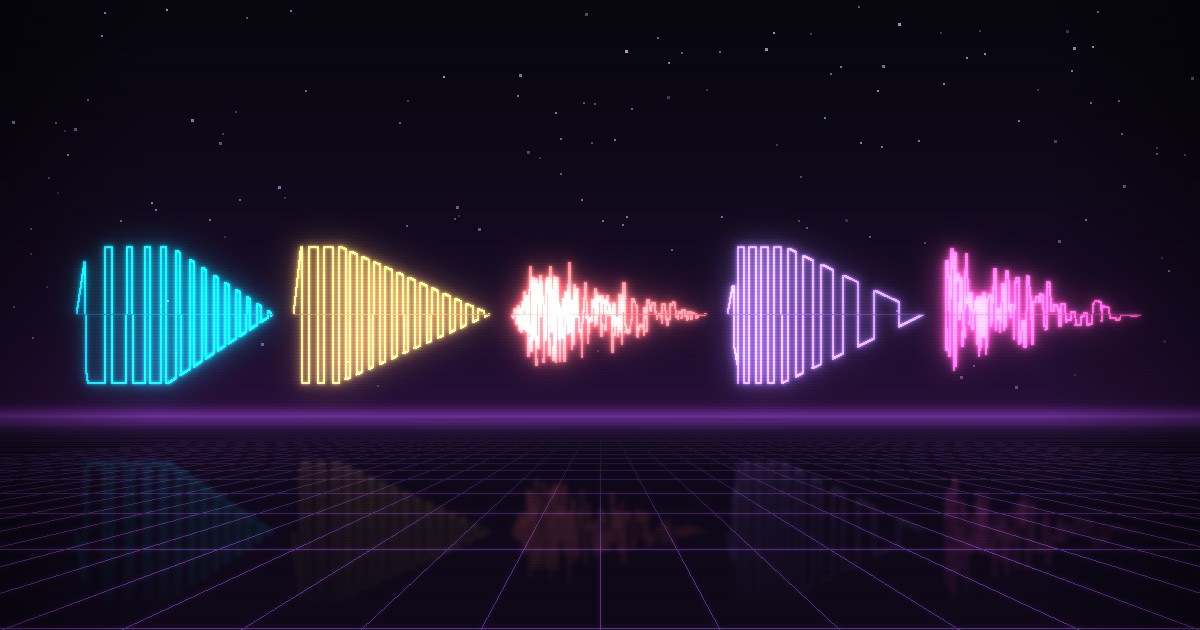
Five classic retro sound effects, before and afterA short square-wave beep that sweeps up in pitch. Rising pitch reads as rising motion, so your ear hears the character leave the ground.
Afterpitch
Jump: 190 ms, pitch 450 Hz to 1,450 Hz
In Pulse
Start from the Jump preset (Music & FX), then set: Square, Pulse Width 0.25, Frequency 450 Hz, Freq Slide +1,000 Hz, Sustain 0.08 s, Decay 0.10 s.
Sound plays only when you press a button. Start with the volume low if you're wearing headphones.
Most retro sound effects come down to four moves: slide the pitch, shape the volume, add noise, close a filter. A jump is a pulse wave sliding up. A coin is two quick notes, the second one higher. An explosion is noise under a low-pass filter that keeps closing. Once those moves are second nature, a full set of sounds for a prototype takes an afternoon.
This post builds the five classic sounds (jump, coin, hit, laser and explosion) in Pulse, the free browser sound effect generator I made for my own prototypes. Each recipe gives the settings, why the sound reads the way it does, and a before-and-after in the lab above. The checklist at the end covers making a set that holds up in an actual game.
Why Retro Sound Effects Sound the Way They Do
Five channels shared between the music and every effect forced each sound into pitch sweeps, short notes and noise. Those limits are the style.
All NES audio comes from the APU in its 2A03 chip: two pulse channels, a triangle, a noise channel and a delta modulation channel (DMC) for samples. That was the whole budget for music and sound effects combined.
sound channels on the NES
0
pulse widths, from 12.5% to 75%
0
volume levels on a pulse channel
0
noise pitches
0
Bit Depth and Sample Rate on a triangle wave
DemoThis animated figure needs JavaScript. The caption below describes it.
Bit Depth sets how many levels each sample can take, and Sample Rate how long each sample is held. At 4 bits, a triangle becomes the same 16-step staircase the NES triangle channel played. Pulse’s Degradation controls, Bit Depth and Sample Rate, do exactly this.
The Five Channels
- Two pulse channels play a rectangular wave with four duty cycles (Pulse calls this Pulse Width): 12.5%, 25%, 50% and 75%. 50% is the classic square wave, and the narrower duties sound thinner and buzzier. 75% is the 25% wave inverted, so on its own it sounds identical. Each pulse channel also has a hardware sweep unit that slides the pitch with no CPU work.
- The triangle is softer and rounder. It has no volume control, only on or off, and its waveform is a staircase of 4-bit steps. Composers often gave it the bass line.
- The noise channel is a pseudo-random generator (a 15-bit LFSR) with 16 pitch settings. Its normal mode hisses; a second mode repeats a short sequence and sounds buzzy, almost tonal. It was the usual choice for drums and explosions.
- The DMC plays 1-bit delta-encoded samples. Games used it sparingly, because samples took up a lot of cartridge space.
How Hardware Limits Shaped Retro Sound Effects
With five channels for everything, a sound effect had to take one over, and the music on that channel dropped out until the effect ended. Super Mario Bros. is a clean example: in a fan disassembly of the game’s code, the coin plays on the second pulse channel, and the music’s notes for that channel are skipped while it runs. The coin itself is a textbook two-note pickup: a short B, then a held E a fourth higher, on a 50% pulse wave.
Music researcher Karen Collins argues that composers of the 8-bit era turned these constraints into deliberate aesthetic choices, which is why the vocabulary outlived the hardware.
sfxr and the One-Click Sound Effect
In 2007, for the 10th Ludum Dare, Tomas Pettersson (DrPetter) made sfxr, a tiny free tool for jam entrants who had 48 hours and no time to hunt for sounds. His announcement called it “an MS Paint for sound effects”.
Its core idea is a row of generator buttons: Pickup/Coin, Laser/Shoot, Explosion, Powerup, Hit/Hurt, Jump and Blip/Select. Each click rolls a new random sound of that type, and sliders refine it. sfxr is open source under the MIT license and spawned a family of tools: as3sfxr by Tom Vian, Bfxr by increpare, jsfxr (in the browser at sfxr.me) and ChipTone from SFB Games.
Pulse follows the same model. Its preset buttons are generators, so every click gives a different variation.
Pulse: The Controls That Matter
Pulse is a free sound effect generator that runs in a browser tab: pick a preset, adjust three or four sliders, export a WAV.
I built it because hunting for sounds kept stalling my prototypes. There’s no account and nothing to install.
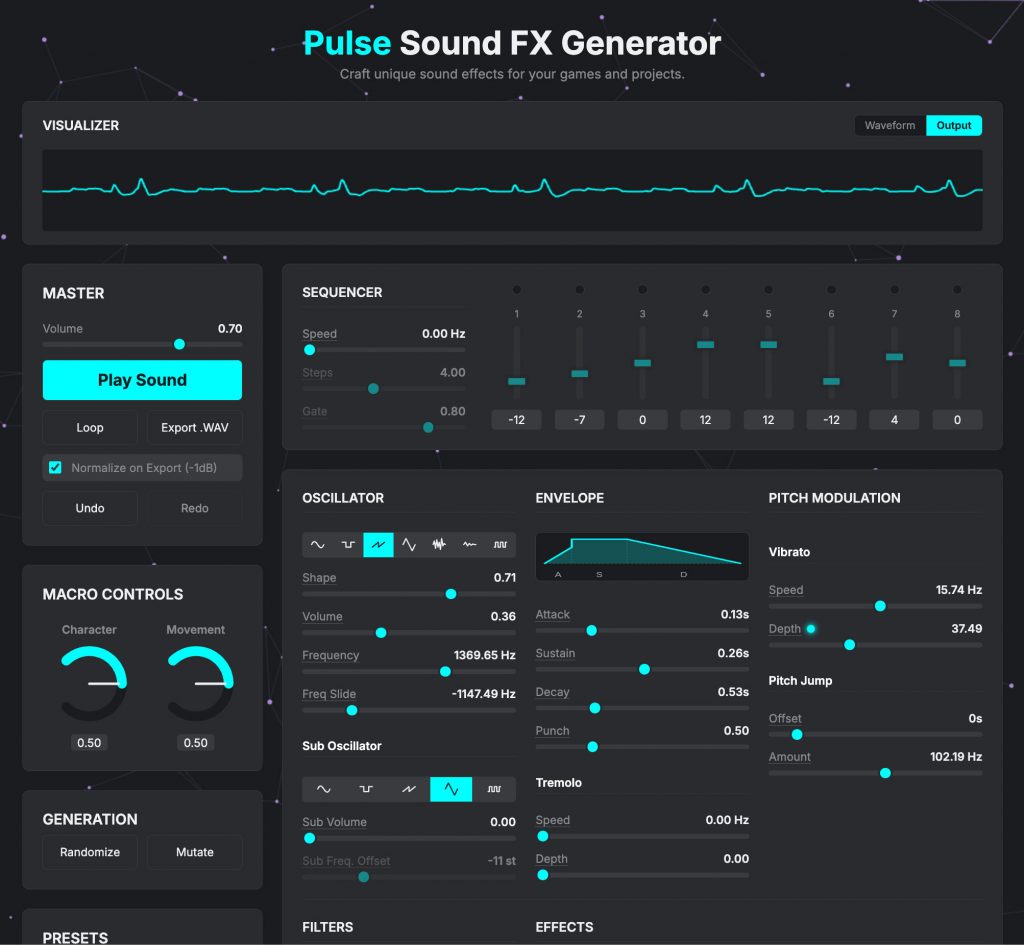
The recipes only touch these panels:
| Panel | What you’ll use it for |
|---|---|
| Presets | Five categories (UI & Items, Weapons & Explosions, Impacts & Pain, Creatures, Music & FX), ten presets each. Like sfxr’s buttons, each click rolls a new variation. |
| Oscillator | The waveform (icon buttons; hover for names), Pulse Width, Frequency and Freq Slide. On noise, Pulse Width becomes Color. |
| Envelope | Attack, Sustain, Decay, and Punch, a boost at the start of the sustain. |
| Sequencer | Up to 8 steps of pitch offsets in semitones, for multi-note sounds like the coin. |
| Filters | Low-Pass and High-Pass, each with a cutoff and a sweep, plus a Notch. |
| Master | Play Sound, Loop, Export .WAV, Normalize on Export (-1dB), Undo and Redo. |
Turn on Loop and press Play Sound: while it loops, every change retriggers the sound, so you hear each tweak immediately. Start from the nearest preset, change the settings each recipe lists, then use Export .WAV for a 16-bit, 44.1 kHz stereo file.
Pulse doesn’t save or load presets, so the lab’s Copy settings button gives you each recipe as text.
Jump: A Short Rising Sweep
A short pulse-wave beep that slides up. The rising pitch sells the upward motion.
Listeners map higher pitch to higher position, and the association runs deep: infants of 3 to 4 months already show it, and so do speakers of languages that don’t describe pitch as high or low. A climbing pitch is the most natural fit for a body leaving the ground.
Length is the other constraint. Players jump constantly, so the sound has to end before the next jump starts. At about 190 ms, this one repeats without stacking.
| In Pulse | Value | Why |
|---|---|---|
| Preset | Jump (Music & FX) | Already a pulse wave with an upward slide |
| Waveform / Pulse Width | Square / 0.25 | A thinner, brighter tone than 0.50 |
| Frequency | 450 Hz | The starting pitch |
| Freq Slide | +1,000 Hz | Climbs to 1,450 Hz |
| Sustain / Decay | 0.08 s / 0.10 s | About 190 ms in total |
In the lab: Freq Slide at 0 flattens it into a plain beep, and Decay past 0.3 s makes it floaty. For a double jump, reuse the sound with a higher Frequency.
Jump: the pitch climbs, and so does the character
Slowed 12×This animated figure needs JavaScript. The caption below describes it.
The pitch slides from 450 to 1,450 Hz over the first 80% of the sound, then holds while the volume decays. The character’s height follows the pitch, and it lands after the sound has ended.
Coin: Two Quick Notes, the Second One Higher
The short first note pushes all the weight onto the second, higher one.
A step to a clean interval sounds deliberate, like a tiny fanfare, while a slide between the same two pitches sounds like a whistle. sfxr’s Pickup/Coin generator works the same way: on half its rolls, it adds a single upward pitch jump partway through. Super Mario Bros. uses a fourth (five semitones). This recipe uses a fifth (seven), which reads a little brighter.
| In Pulse | Value | Why |
|---|---|---|
| Preset | Coin (UI & Items) | Already uses the sequencer |
| Waveform / Pulse Width | Square / 0.50 | The classic square wave |
| Frequency | 1,000 Hz | The first note |
| Sequencer | Speed 3 Hz, Steps 4, step values 0, +7, +7, +7 | An 83 ms first note, then a fifth higher |
| Sustain / Decay | 0.05 s / 0.20 s | 260 ms in total |
Speed is how many times per second the whole pattern plays, so each step lasts 1/(Speed × Steps): 83 ms here. Keep the sound shorter than one pass of the pattern (333 ms at 3 Hz), or the pattern starts over and the first note comes back.
In the lab: +12 gives a bright octave jump, and +3 a smaller, cuter pickup. Raising Speed shortens the first note and tightens the coin.
Coin: two notes inside one pass of the pattern
Slowed 6×This animated figure needs JavaScript. The caption below describes it.
Each step lasts 1/(3 Hz × 4 steps) = 83 ms, so the second note arrives at 83 ms, and the recipe ends at 260 ms, inside the first pass. At Decay 0.45 s the sound outlives the 333 ms pass: step 1 plays again, and the first note comes back.
Hit: A Short Burst of Noise
A very short noise burst with a hard front edge. The attack is what reads as contact.
Attack is one of the strongest cues listeners use to tell sounds apart, so a hit needs an instant onset and almost nothing after it. Noise works because it has no pitch to read as a note. It has carried drums and explosions since the NES, and sfxr’s Hit/Hurt generator picks it on some rolls.
Punch exaggerates the onset, and a downward low-pass sweep dulls the burst as the impact dies away.
| In Pulse | Value | Why |
|---|---|---|
| Preset | FleshHit (Impacts & Pain) | A short impact to start from |
| Waveform / Color | Noise / 0.70 | Bright noise |
| Sustain / Decay | 0.02 s / 0.10 s | About 130 ms: over almost at once |
| Punch | 0.90 | A loud first moment |
| Low-Pass | 3,000 Hz, Sweep -2,500 Hz | Dulls the burst as it ends |
| Distortion Amount | 0.20 | A little crunch |
In the lab: a lower Low-Pass gives a heavy body blow, and a higher one a sharp slap. In Pulse, switching the waveform to Breaker gives a crunchier, more chip-like hit, which is what Pulse’s own Hit preset often does.
Hit: the front edge does the work
Slowed 15×This animated figure needs JavaScript. The caption below describes it.
With a 10 ms attack and Punch, the burst starts at full force, and that reads as contact. With an 80 ms attack and no Punch, the same noise swells in like a whoosh. In both, the low-pass falls from 3,000 to 500 Hz as the burst dies.
Laser: A Fast Falling Sweep
The jump in reverse: a bright tone that dives in pitch, fast.
It starts high and bright enough to cut through a busy mix, then drops more than two octaves in under a quarter of a second. sfxr’s Laser/Shoot generator has always started high and slid down. The faster the drop, the snappier the shot.
| In Pulse | Value | Why |
|---|---|---|
| Preset | Laser (Weapons & Explosions) | Already falls in pitch |
| Waveform / Pulse Width | Square / 0.50 | A clean, hard tone |
| Frequency | 1,500 Hz | A high, bright start |
| Freq Slide | -1,200 Hz | Dives to 300 Hz |
| Sustain / Decay | 0.05 s / 0.15 s | About 210 ms in total |
| Punch | 0.30 | A slightly louder start |
| Low-Pass | 10,000 Hz, Sweep -8,000 Hz | Softens the tail |
| Chorus/Flanger Delay | 0 | The preset sometimes adds a flanger; 0 keeps the zap clean |
In the lab: Decay around 0.08 s suits rapid fire, and a lower Frequency gives a heavier blaster. For enemy fire, Pulse’s EnemyLaser preset is a quieter, softer version (a triangle wave instead of a square), so players can tell incoming shots from their own.
Laser: two octaves down in 158 ms
Slowed 12×This animated figure needs JavaScript. The caption below describes it.
From 1,500 Hz to 300 Hz, the pitch is one octave down at 105 ms and two octaves down at 158 ms. The dashed line is the jump recipe on the same axes: the same move, reversed.
Explosion: Filtered Noise and a Long Tail
Noise with a big punch, a long tail and a low-pass filter that keeps closing, so the blast rolls off into the distance.
It opens like the hit, then keeps going. Listeners hear muffled sounds as farther away, so a closing low-pass pushes the tail into the distance. The long decay adds weight, and a slow volume wobble (Pulse’s Tremolo, which the Explosion preset already adds) turns the tail into a rumble.
| In Pulse | Value | Why |
|---|---|---|
| Preset | Explosion (Weapons & Explosions) | Noise with punch and a long tail |
| Waveform / Color | Noise / 0.50 | Plain white noise |
| Sustain / Decay | 0.15 s / 1.20 s | About 1.4 s in total |
| Punch | 0.80 | The initial blast |
| Low-Pass | 1,600 Hz, Sweep -1,400 Hz | Closes to 200 Hz: the boom rolls away |
| Bit Depth / Sample Rate | 16 bits / 1.00 | Keeps Degradation off for a clean boom (the preset sometimes turns it on) |
In the lab: Decay at 2 s gives a big, distant blast, and 0.4 s a small pop. Set Sweep to 0 to hear what the filter is doing: without it, the tail just hisses.
Explosion: the highs go first
Slowed 2×This animated figure needs JavaScript. The caption below describes it.
The explosion’s spectrum as it plays. The low-pass closes from 1,600 to 200 Hz, so the highs drop out first and the blast seems to move away. With Sweep at 0, the highs stay and the tail just hisses.
A Design Checklist for Retro Sound Effects
Design the set, not the sound: short, slightly varied, loudness-matched in context, and exported as WAV.
A sound that works in isolation can still fail in the game:
- Keep frequent sounds short. UI and jump sounds have to end before the next trigger; Pulse’s Blip preset runs about 60 ms. Microsoft’s guidance for interface sounds is under a second, and never the same sound more than twice in a row.
- Randomize pitch on repeats. Ten identical triggers sound mechanical: compare Play 4 in a row in the lab with and without Vary pitch. You don’t need four files, since Godot (AudioStreamRandomizer), Unity (Audio Random Container), Unreal (the Sound Cue Modulator node) and FMOD (random modulators) all randomize pitch per trigger.
- Match loudness by ear, in context. Normalize on Export (-1dB) matches peaks, not perceived loudness: a 1.4 s explosion peaking at -1 dB sounds far louder than a 60 ms blip with the same peak. Normalize, then set each sound’s volume in the engine with the music playing.
- Give each action its own contour. If the jump rises and the laser falls, players can tell them apart even when they overlap.
- Ship short effects as WAV. Godot recommends WAV for short, repeated sound effects and Ogg Vorbis for music and long sounds. Unity’s import settings follow the same split: PCM or ADPCM for short effects, Vorbis for music. (Still choosing an engine? See our guide to the best game engines for indie developers.)
- Keep the settings with the file. Pulse doesn’t save presets, so store a text file of settings next to each WAV for later variations.
- Test in the game, not the tool. Play each sound over your music, at game speed, a hundred times.
A sound effect is finished when it still works the hundredth time.
Retro Sound Effects FAQ
Can I use Pulse sounds in a commercial game?
Yes. Sounds you make and export with Pulse are free to use, including in commercial games. Pulse builds every sound from scratch in your browser, from oscillators and noise. There are no recorded samples inside it, so the WAV you export comes from your own settings.
Is "8-bit" the right name for retro sound effects?
Loosely. “8-bit” describes the NES’s processor, which works on 8 bits at a time; most of its audio is 4-bit, with 16 volume levels and a triangle wave built from 16 steps up and 16 down. Chiptune strictly means music made on old sound chips, or made to imitate them. For sound effects, “retro” and “8-bit” name the same style, and the recipes here fit either.
How does Pulse compare with sfxr and jsfxr?
Same model: one button per type of sound, a new random variation on every click, then sliders to refine it. jsfxr is the browser port of sfxr, at sfxr.me. Pulse has fifty presets in five categories and adds a sub-oscillator, an 8-step sequencer, filter sweeps and effects like delay, reverb and distortion. sfxr and jsfxr have fewer controls, so they’re quicker to learn. Our roundup of free sound effect and music tools, coming in February, compares them all.
Can I save a Pulse sound and edit it later?
No. Pulse doesn’t save or load presets, so keep the exported WAV and write down the settings. For the five recipes in this post, the lab’s Copy settings button gives you the full list.
What file format does Pulse export?
WAV: 16-bit, 44.1 kHz, stereo. Normalize on Export (-1dB) is on by default, so every file peaks just below full scale.
Final Thoughts
Those four moves cover most retro sound effects, so once they’re familiar, a Pulse preset stops being a lucky roll and becomes a starting point you can steer: you can hear what each part of a sound is doing and push it where your game needs it. Build the five, then make them yours.
Next steps:
- Build your set in Pulse and export the WAVs.
- Read how Pulse grew into a full music workstation in The Tiny Synth That Accidentally Became a Full Music Workstation. If your game needs music next, that’s what Arcade Composer is for.
- Coming in January: a full tutorial on building these sounds from scratch in code with the Web Audio API.
Which sound should the lab do next? A power-up, a door, footsteps? Tell me in the comments.
Sources and Method
All read November 12, 2026.
- NES audio: the NESdev Wiki pages on the APU, pulse channels, triangle, noise, DMC, APU basics, the 2A03 and the Nerdy Nights APU overview, plus Nerdy Nights Sound Part 5 on sound effects taking channels from the music.
- Super Mario Bros.: doppelganger’s fan disassembly. The coin’s channel, notes and timing are my reading of that code.
- History: Karen Collins, “In the Loop: Creativity and Constraint in 8-bit Video Game Audio” (2007).
- sfxr and its family: DrPetter’s page, the original announcement, the source code, as3sfxr, Bfxr, jsfxr and ChipTone.
- Perception: Spence, “Crossmodal correspondences” (2011); Walker et al. on infants (2010); Parkinson et al. on pitch and height across cultures (2012); McAdams et al. on timbre (1995); Kolarik et al. on auditory distance (2016).
- Practice: Godot’s AudioStreamRandomizer and audio import docs, Unity’s Audio Random Container and AudioClip docs, Unreal’s Sound Cue reference, and Microsoft’s sound guidelines.
- Pulse: its controls, presets and export come from the live app’s code. Every recipe was rendered offline through both the lab and Pulse’s own audio engine to check its length, peak level and pitch or filter curve.
Related Posts
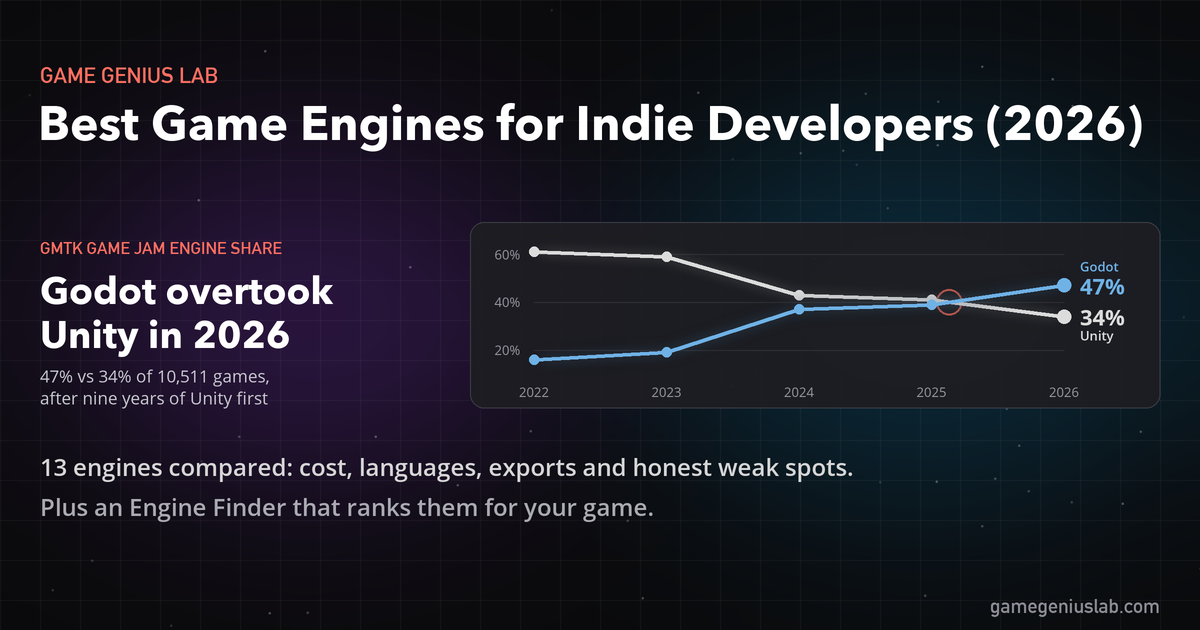
Godot, Unity, Unreal, GameMaker and nine more engines compared for 2026: what each costs, what it's best at, where it ships, and the weak spot fans skip. Includes a quiz that ranks them for your game.
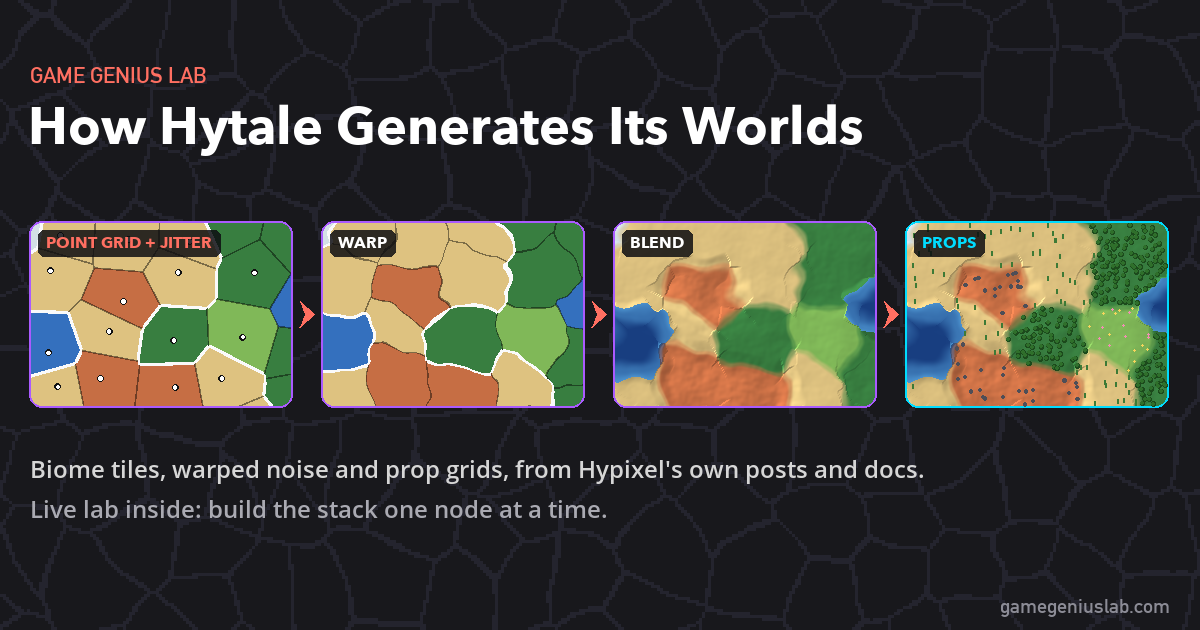
Hytale's next world generator treats every biome as a tile, blends the terrain across the seams and scatters props on a point grid. Here's what Hypixel has shared about World Gen V2, plus a live lab where you can build the same kind of stack.
This Post Has 0 Comments