



The October 2026 Steam Next Fest had more than 7,300 demos, the most ever, and most never had more than three players at once. We dug into the numbers: who won, which genres found players, how many demos disclosed AI, and what it all means for your next demo.
The Ultimate Guide to Free, Open Source Tools for Indie Game Developers (2026)
Updated October 2026: we re-checked all of these open source game development tools for 2026 (versions, licenses and platforms), added Bevy, SDL 3, raylib, LÖVE, Furnace and more, and replaced tools that are no longer maintained or were never open source.
You can make a whole game, from engine to soundtrack, without paying for a single license. This guide covers the open source game development tools we’d actually reach for in 2026: engines, frameworks, 3D and pixel art apps, animation, audio, code editors, version control and level editors.
Every tool here is free and open source, and each one gets a Best for line plus its license, so you can pick quickly. When a popular tool is free but not open source, like Aseprite, MagicaVoxel or Defold, we say so.
What software do indie game developers use? A typical free stack is Godot for the engine, Blender for 3D, Krita or LibreSprite for 2D art, LMMS and Audacity for sound, Tiled or LDtk for levels, and Git to keep it all safe. The table below has the full list, and each section explains when to pick which.
Open Source Game Development Tools at a Glance
| You need… | Start with | Also great |
|---|---|---|
| A game engine | Godot (MIT) | Bevy, GDevelop, Stride, O3DE, Armory3D |
| A code-first framework | Phaser (MIT) for the web, LÖVE (zlib) for Lua | raylib, SDL 3, MonoGame, PixiJS, libGDX |
| 3D models and animation | Blender (GPL-3.0) | Goxel for voxels |
| 2D painting and textures | Krita (GPL-3.0) | GIMP, Inkscape, Material Maker |
| Pixel art | Pixelorama (MIT) | LibreSprite, Piskel |
| 2D animation | OpenToonz (BSD-3-Clause) | Synfig, Pencil2D, Glaxnimate, SpookyGhost |
| Sound effects | jfxr (BSD-3-Clause) | Audacity for editing |
| Music | LMMS (GPL-2.0) | Furnace, MilkyTracker, Hydrogen, Surge XT, Ardour, Bespoke Synth, Zrythm |
| A code editor | VS Code / VSCodium (MIT) | Notepad++ |
| Version control | Git + Git LFS | GitHub Desktop, Gitea, Forgejo |
| Levels and maps | Tiled (GPL-2.0) or LDtk (MIT) | TrenchBroom for 3D |
Game Engines
A game engine bundles rendering, physics, audio, input and an editor into one package. These open-source engines are the ones worth your time in 2026.
Comparing open-source engines with Unity and Unreal? See our best game engines for indie developers guide.
Godot Engine
Godot is the default answer for open-source game development. It handles 2D and 3D, its node-and-scene system clicks fast, and you can script in GDScript or C#. Godot 4.6 (January 2026) made Jolt the default 3D physics engine, and 4.7 (June 2026) added HDR output and rectangular area lights. Version 4.8 is in beta now. Its share of Steam Next Fest demos grew from 9.2% to 12.6% in June 2026, so you’ll have plenty of company.
Best for: 2D and 3D indie games of almost any genre · License: MIT · Free
Bevy
Bevy is a data-driven engine written in Rust and built around an ECS (entity component system). There’s no visual editor yet, but each release adds serious tech: Bevy 0.20 (October 2026) brought path-traced lighting and mesh shaders. It suits programmers who like to build everything in code and want Rust’s speed and safety.
Best for: Rust programmers who like code-first workflows · License: MIT or Apache-2.0 · Free
GDevelop
GDevelop replaces code with an event system: “when the player touches a coin, add 1 to the score.” It exports to the web, desktop and mobile, which makes it great for game jams and first projects. Version 5.6 added a real-time 3D editor, so it’s no longer just for 2D.
Best for: beginners and jam games without writing code · License: MIT · Free
Stride
Stride is a C# engine with a full 3D editor, so it feels familiar if you’ve used Unity. Stride 4.4 (October 2026) rebuilt its Vulkan and Direct3D 12 backends and dropped OpenGL. The editor runs on Windows; projects can still build on Linux and macOS.
Best for: C# and .NET developers who want a 3D editor · License: MIT · Free
O3DE
Open 3D Engine grew out of Amazon’s Lumberyard and is now run by the Linux Foundation. It’s a heavyweight, modular 3D engine with AAA-style tools, so it rewards teams with strong PCs and patience. The editor runs on Windows and Linux, and the project ships two releases a year (the latest is 26.05, from May 2026).
Best for: ambitious 3D projects with a team behind them · License: Apache-2.0 or MIT · Free
Armory3D
Armory turns Blender into a game engine: you build scenes in Blender and add logic with nodes or Haxe. It’s still actively developed, and version 2026.2 (February 2026) added signals and a fixed-update event to its logic nodes.
Best for: Blender users who want to make games without leaving Blender · License: zlib · Free
Free, but not open source: Defold publishes its source under the Defold License, which adds terms to Apache 2.0 and isn’t OSI-approved. It’s still free with no royalties, and you’ll find it in our Indie Game Developer’s Toolkit.
Game Development Frameworks
Frameworks give you building blocks instead of an editor. You write more of the game yourself, and in exchange you get full control over how it works.
Phaser
Phaser is one of the most popular frameworks for 2D browser games, in JavaScript or TypeScript. Phaser 4 (April 2026) rebuilt its WebGL renderer from the ground up and added a filter system you can stack on any sprite or camera. The current version is 4.2.
Best for: 2D web games and fast prototypes · License: MIT · Free
LÖVE
LÖVE is a tiny framework for 2D games in Lua. You write a few callbacks (load, update, draw) and you’re running. Balatro was built with it, which says a lot about how far a small framework can go. Its last numbered release, 11.5, dates from late 2023, but work on version 12 is ongoing and 11.5 is stable and widely used.
Best for: quick, polished 2D games in Lua · License: zlib · Free
raylib
raylib is a simple C library for games, made for learning: no editor and no hidden magic, just functions like DrawTexture() and IsKeyPressed(). raylib 6 (April 2026) even added a software renderer, so it runs on machines without a GPU. It has bindings for dozens of other languages.
Best for: learning game programming in C or C++ · License: zlib · Free
SDL 3
SDL is the layer under countless engines and ports. It handles windows, input, audio and controllers on every platform. SDL 3 added a modern cross-platform GPU API, and SDL 3.4 (January 2026) made it work smoothly alongside 2D rendering.
Best for: building your own engine in C or C++ · License: zlib · Free
MonoGame
MonoGame is the open-source successor to Microsoft’s XNA, and Stardew Valley runs on it. You write C# and ship to desktop and mobile. MonoGame 3.8.5 (July 2026) added DirectX 12 and Vulkan backends. Console support exists too, but only for developers approved by Nintendo, Sony or Microsoft.
Best for: 2D games in C# when you want full control · License: Ms-PL · Free
PixiJS
PixiJS is a very fast 2D renderer for the web. It isn’t a full game framework, so you bring your own physics and game loop. PixiJS 8 renders with WebGL or WebGPU.
Best for: fast 2D graphics in the browser, with your own game logic · License: MIT · Free
libGDX
libGDX is a mature Java framework that targets desktop, Android, iOS and the web from one codebase. The original Slay the Spire was built with it, before Mega Crit moved the sequel to Godot.
Best for: cross-platform 2D games in Java or Kotlin · License: Apache-2.0 · Free
What happened to Cocos2d-x? It hasn’t had a release since 2019, and Cocos now recommends its successor, Cocos Creator, whose engine is MIT-licensed. We’ve dropped Cocos2d-x from this list.
Art and Graphics
These apps cover 3D models, painting, vector art and textures, which is most of what a small team needs to make a game look finished.
Blender
Blender is a complete 3D suite: modeling, sculpting, rigging, animation, rendering and more. It exports cleanly to Godot, Unity and Unreal. Blender 5.2 LTS (July 2026) added node-based cloth and hair physics, and it’s supported until July 2028, so it’s a safe version to standardize a project on. On a Mac, Blender 5 needs Apple Silicon.
Best for: 3D models, animation and rendered sprites · License: GPL-3.0 · Free
Krita
Krita is a painting app built by artists, with great brushes, a wrap-around mode for seamless textures and an animation timeline. Krita 5.3 (March 2026) added a new text tool and a better gap-closing fill. Its Qt 6 twin, Krita 6.0, is still marked experimental.
Best for: concept art, hand-painted textures and illustrated sprites · License: GPL-3.0 · Free
GIMP
GIMP is the classic open-source image editor, and it finally got its big upgrade: GIMP 3 (March 2025) brought non-destructive filters, and 3.2 (March 2026) added vector layers and SVG export. It’s great for photo textures, cleanup and batch edits.
Best for: texture editing, photo cleanup and quick fixes · License: GPL-3.0 · Free
Inkscape
Inkscape is a vector editor for clean, scalable art: UI elements, icons, logos and flat-style characters. It saves SVG, which most engines can import. The current release is 1.4.4 (May 2026).
Best for: UI, icons and vector game art · License: GPL-3.0 · Free
Material Maker
Material Maker builds procedural textures and materials from nodes: wood, stone, rust, tiles. It’s built with Godot, and it exports to Godot, Unity, Unreal and standard texture maps. Version 1.7 (July 2026) moved to Godot 4.7.
Best for: procedural textures and materials for 3D games · License: MIT · Free
Goxel
Goxel is an open-source voxel editor for blocky 3D art. It exports OBJ for your engine and MagicaVoxel’s .vox format. Its last numbered release is from 2024, but development continues. If you’ve used MagicaVoxel, note that MagicaVoxel is free but not open source.
Best for: voxel models and blocky 3D props · License: GPL-3.0 · Free
Pixel Art Apps
Pixel art apps are tuned for tiny canvases: pixel-perfect pencils, limited palettes, onion skinning and sprite-sheet export.
Pixelorama
orama-interactive.itch.io/pixelorama
Pixelorama is a full pixel art editor built with Godot. It covers layers, animation, tilemap layers with autotiling, and even 3D layers. Version 1.2 (July 2026) added a keyframe timeline and glTF import. It also runs in a browser.
Best for: sprites, animations and tilesets in one app · License: MIT · Free
LibreSprite
LibreSprite is a community fork of the last open-source version of Aseprite. Aseprite itself is now a paid, source-available app (and worth buying if you can). LibreSprite is the fully open option, with onion skinning, pixel-perfect strokes and sprite-sheet export. It’s actively maintained; version 1.3 arrived in October 2026.
Best for: Aseprite-style sprite animation that’s fully open source · License: GPL-2.0 · Free
Piskel
Piskel runs in your browser, so there’s nothing to install. It has a live animation preview and onion skinning, and it exports sprite sheets and GIFs.
Best for: quick sprites and animations on any computer · License: Apache-2.0 · Free
2D Animation
These apps handle frame-by-frame, vector and procedural animation for cutscenes, characters and UI.
SpookyGhost
SpookyGhost animates sprites procedurally: you set parameters and curves, and it generates bobbing, squashing, rotating loops. It’s name-your-own-price on itch.io, and the source is on GitHub.
Best for: procedural loops for idle animations and effects · License: MIT · Free
OpenToonz
OpenToonz is a free, open-source 2D animation suite based on Toonz, the software Studio Ghibli customized for its own production pipeline. It covers the full hand-drawn workflow, including scanning and cleanup, vector and raster drawing, an Xsheet timeline and an effects compositor. OpenToonz 1.8 (June 2026) added screentones and OCA import, its first feature release in three years.
Best for: frame-by-frame cutscenes and sprite animation · License: BSD-3-Clause · Free
Synfig
Synfig is a vector animation app with a bone system, so you can animate characters without redrawing every frame. The stable version is 1.4.5; the 1.5 development builds add newer features.
Best for: cutout and bone-rigged 2D characters · License: GPL-3.0 · Free
Pencil2D
Pencil2D is a lightweight app for traditional hand-drawn animation, with bitmap and vector layers. It’s a gentle first step into frame-by-frame work. Version 0.7.2 arrived in March 2026.
Best for: learning hand-drawn animation · License: GPL-2.0 · Free
Glaxnimate
Glaxnimate is a simple vector animation app, now part of KDE, with version 0.6 released in March 2026. It’s great for animated UI, icons and effects, and it exports Lottie and animated SVG for menus and web builds. It replaces Enve, which we listed before; Enve’s repository was archived in 2026.
Best for: vector UI animations and Lottie files · License: GPL-3.0 · Free
Music & Sound Design
These tools cover sound effects, editing, music production and retro chiptune. That’s everything from the jump sound to the boss theme.
jfxr
jfxr is a browser-based successor to the classic sfxr. Click a category (jump, pickup, explosion) and tweak the result with sliders. For more synth types, Bfxr2 at bfxr.net is an actively developed, MIT-licensed rewrite of the classic Bfxr.
Best for: retro sound effects in seconds · License: BSD-3-Clause · Free
Audacity
Audacity is the go-to free audio editor for recording, trimming, cleaning up noise and batch-converting files. Audacity 4 (September 2026) brought a redesigned interface. A few features, like MIDI tracks, haven’t been ported yet, and 3.7 is still available if you need them.
Best for: editing and cleaning up sounds and voice lines · License: GPL-3.0 · Free
LMMS
LMMS is a free music production app with a piano roll, a beat editor, built-in synths and VST support on Windows. One caveat: the last stable release (1.2.2) is from 2020. The 1.3 alpha (September 2026) is where the new features live, so try it on a copy of your project first.
Best for: composing full soundtracks for free · License: GPL-2.0 · Free
Furnace
Furnace is a chiptune tracker that emulates dozens of classic sound chips, from the NES and Game Boy to the Genesis and SNES. The stable release is 0.6.8, and version 0.7 is in active development.
Best for: authentic retro console music · License: GPL-2.0 · Free
MilkyTracker
MilkyTracker recreates the classic FastTracker II workflow for writing .MOD and .XM music. It’s ideal if you love the demoscene sound or need tiny music files. The latest release is 1.05 (November 2024).
Best for: tracker-style music and small module files · License: GPL-3.0 · Free
Hydrogen
Hydrogen is a drum machine with a pattern-based sequencer, so you can program beats quickly and export them. Version 1.2.7 arrived in October 2026.
Best for: drum tracks and rhythm loops · License: GPL-2.0 · Free
Ardour
Ardour is a professional-grade DAW for recording, editing and mixing. The source code is free, while the ready-made downloads are pay-what-you-want from $1, which funds development. Version 9.8 (August 2026) added musical key and scale support.
Best for: recording and mixing a full soundtrack · License: GPL-2.0 · Downloads from $1
Surge XT
Surge XT is a powerful open-source synthesizer that runs standalone or as a plugin inside a DAW. It’s actively developed, and the current stable release is 1.3.4.
Best for: designing synth sounds for music and effects · License: GPL-3.0 · Free
Bespoke Synth
Bespoke Synth is a modular synth sandbox: you wire modules together on a canvas and tweak them live. It’s a playground for experimental sound design. The download is free, and the optional paid tiers go to charity.
Best for: experimental sound design and generative music · License: GPL-3.0 · Free
Zrythm
Zrythm is a modern, open-source DAW. The free “Basic” download is capped at 25 tracks, and paid tiers remove the cap. You can also build it from source, and version 2 is in alpha.
Best for: a modern DAW workflow on Linux, Windows or macOS · License: AGPL-3.0 · Free tier (25 tracks)
From the Lab: if you just need a retro sound effect right now, our free Pulse generator makes one in your browser. It’s free, but it isn’t open source.
Code Editors
Your engine might have its own script editor, but most developers end up in one of these.
Visual Studio Code (or VSCodium)
code.visualstudio.com · vscodium.com
VS Code is the most popular code editor, with great extensions for GDScript, C#, JavaScript, Lua and Rust. One licensing detail: its source code (“Code – OSS”) is MIT, but the download from Microsoft ships under a proprietary license. If you want a fully open build, use VSCodium, which is the same editor without Microsoft’s branding and telemetry.
Best for: scripting in almost any engine · License: MIT (Code – OSS and VSCodium) · Free
Notepad++
Notepad++ is a fast, lightweight editor for Windows. It’s handy for config files, data tables and quick script edits. Keep it updated: version 8.8.9 (December 2025) added installer signature checks after its old updater was abused.
Best for: quick edits on Windows · License: GPL-3.0 · Free
Version Control
Version control saves every version of your project, so you can undo a bad week and collaborate without emailing zip files.
Git and Git LFS
Git tracks every change to your project. Add Git LFS (Large File Storage) so big binary assets like textures, audio and models don’t bloat your history.
Best for: every project, solo or team · License: GPL-2.0 (Git), MIT (LFS) · Free
GitHub Desktop
GitHub Desktop gives Git a friendly point-and-click interface: commit, branch and sync without the command line. It’s open source, unlike SourceTree, which we listed here before (SourceTree is free but proprietary). It runs on Windows and macOS.
Best for: Git without the command line · License: MIT · Free
Gitea and Forgejo
Want your own GitHub-style server, with repositories, issues and pull requests, on a cheap VPS or a spare PC? Gitea is MIT-licensed. Forgejo is a community-run fork that switched to GPL-3.0 in 2024. Both are light enough for a small team.
Best for: hosting your own Git server · License: MIT (Gitea), GPL-3.0 (Forgejo) · Free
Level Design and World Building
Level editors let you paint maps visually and export them to your engine, which is much faster than placing tiles in code.
LDtk (Level Design Toolkit)
LDtk was made by Sébastien Bénard, who worked on Dead Cells. It’s a modern 2D level editor with auto-tiling rules, typed entities and a clean JSON format that’s easy to load in any engine. Version 1.5.3 (January 2024) is stable and widely used, though new releases have slowed.
Best for: 2D platformers and top-down levels · License: MIT · Free
Tiled
Tiled is the veteran tile map editor. It supports orthogonal, isometric and hexagonal maps, object layers and custom properties, with importers for nearly every engine. Tiled 1.12 (March 2026) added oblique maps and layer blend modes.
Best for: tile maps of any shape, in any engine · License: GPL-2.0 (the editor; your maps are yours) · Free
TrenchBroom
TrenchBroom is a level editor for Quake-style brush maps. With a Godot importer it’s become a favorite for boomer shooters and retro 3D. Version 2026.2 (August 2026) added a Sweep tool and Quake 3 patch editing.
Best for: retro 3D and boomer-shooter levels · License: GPL-3.0 · Free
Removed this year: OGMO Editor 3 hasn’t been updated since 2022, so we’ve dropped it in favor of LDtk and Tiled.
Open Source Game Development Tools: FAQ
Can I sell a game made with open-source tools?
Yes. A tool’s license covers the tool, not the art, music or levels you make with it, so painting in Krita or modeling in Blender doesn’t make your assets GPL. What matters is code you ship inside your game. That’s why the popular engines and frameworks (Godot, Bevy, LÖVE, raylib, SDL) use permissive licenses like MIT and zlib that allow closed-source, commercial games. Read the license of any library you bundle.
Is Godot really free for commercial games?
Yes. Godot is MIT-licensed, with no fees or royalties. You just include its license notice in your game, usually in the credits. Console releases go through third-party porting companies, because console SDKs are under NDA.
What's the best open-source game engine for beginners?
If you don’t want to code yet, start with GDevelop. If you’re ready to learn a little scripting, Godot is the best long-term choice: it’s beginner-friendly, and it’s also what many commercial indies ship with.
What's the difference between free and open source?
Free means you don’t pay. Open source means the source code is published under a license that lets anyone use, change and share it. Aseprite (source-available, paid), MagicaVoxel (freeware) and Defold (free, under its own license) are great, but they aren’t open source. Everything in the main list above is.
Final Thoughts
Open source won’t make your game for you, but it removes the price tag from every step: engine, art, animation, audio and levels. Start with the stack in the intro, swap tools as your project grows, and give back when you can, because bug reports and donations keep these projects alive.
The best tool is the one you’ll still be using when your game ships.
Want to put these tools to work? Our free, interactive tutorials on Perlin noise, cellular automata caves and procedural biome generation come with code you can drop into Godot or any engine. For paid and free tools side by side, see The Indie Game Developer’s Toolkit.
Looking for even more? Magic Tools is a huge community list of game dev resources. And if we missed your favorite open-source tool, tell us in the comments. We’ll test it for the next update.
Related Posts
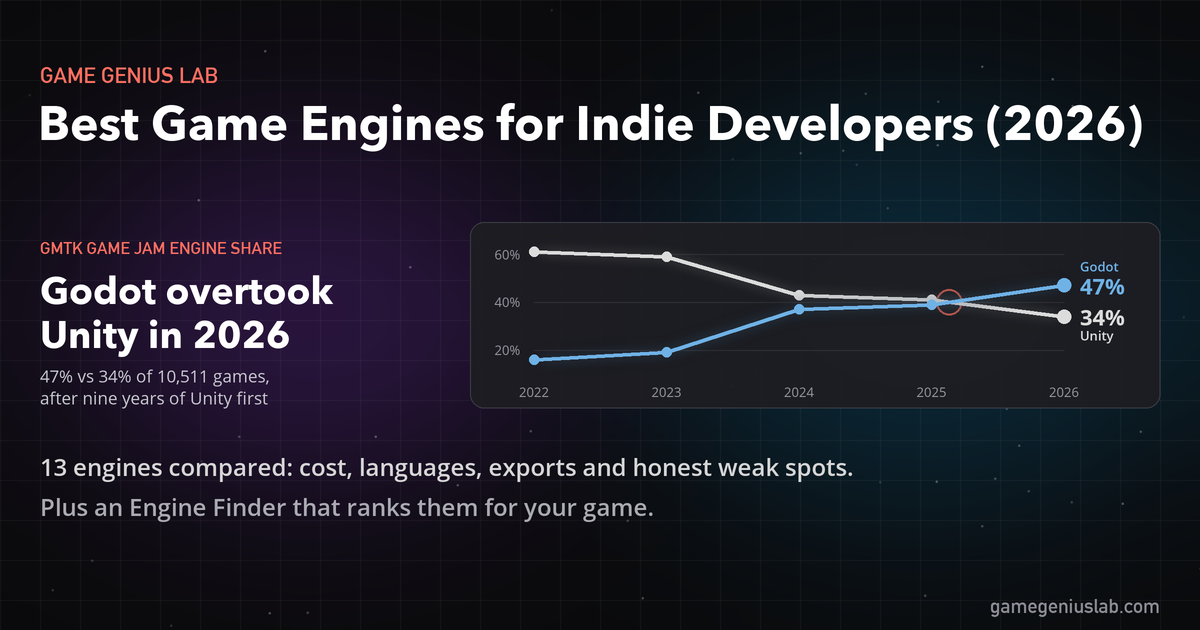
Godot, Unity, Unreal, GameMaker and nine more engines compared for 2026: what each costs, what it's best at, where it ships, and the weak spot fans skip. Includes a quiz that ranks them for your game.
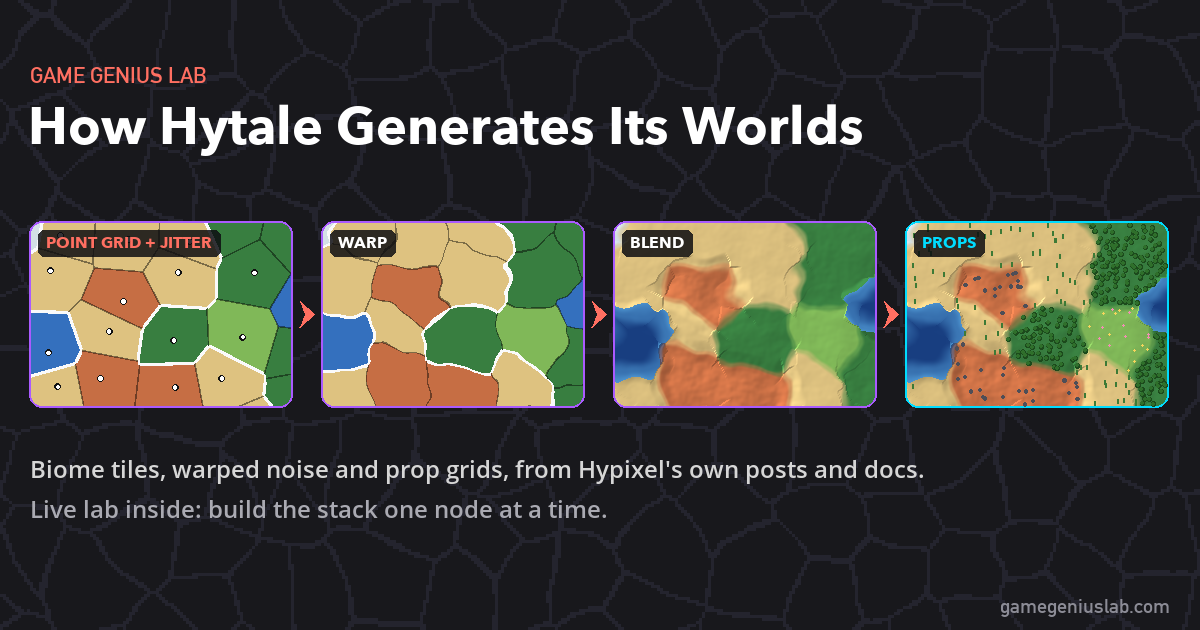
Hytale's next world generator treats every biome as a tile, blends the terrain across the seams and scatters props on a point grid. Here's what Hypixel has shared about World Gen V2, plus a live lab where you can build the same kind of stack.
This Post Has 0 Comments